
Table of Contents
Every CRM data migration checklist online tells you to back up your data, map your fields, and test before go-live. That advice isn’t wrong. It’s just not the reason migrations actually fail. The businesses that end up with duplicate records, broken reporting, or a compliance headache three months later almost always did the obvious steps. What they skipped were the less obvious ones, the parts of a proper CRM data migration checklist that don’t make it into the generic listicle version because they take real effort to explain.
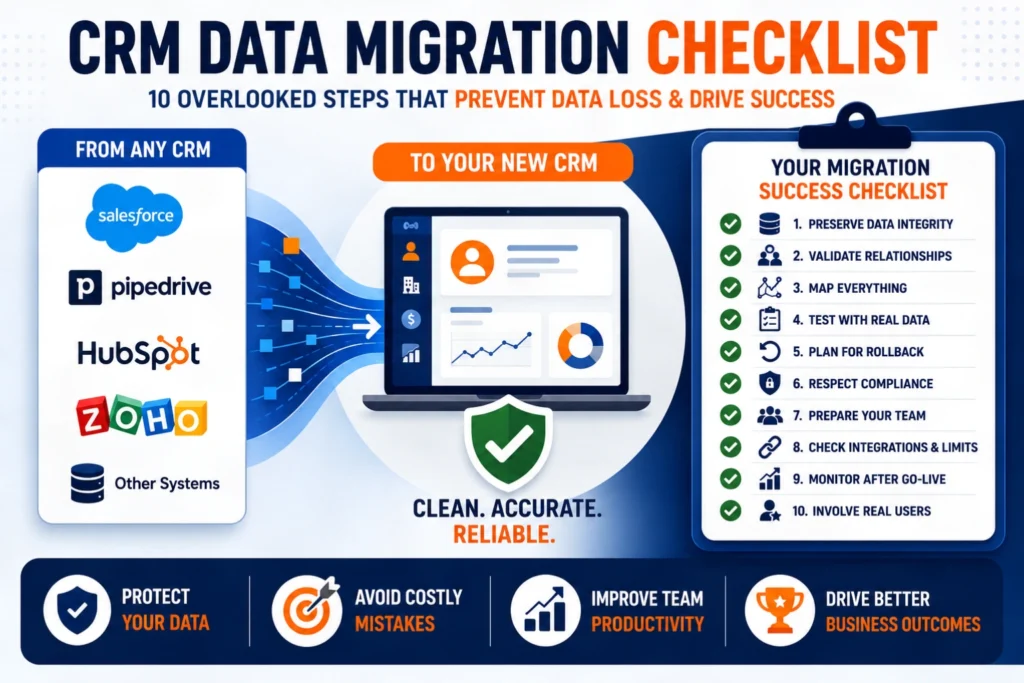
In our comprehensive CRM Data Migration Checklist, we emphasize the importance of following best practices to avoid common pitfalls.
This CRM Data Migration Checklist is designed to help you identify crucial steps that are often overlooked.
This is that checklist, the honest version, including the steps most teams quietly skip and pay for later.
Quick Answer
Our CRM Data Migration Checklist includes essential steps like preserving unique record IDs that can significantly impact the success of your migration. Utilizing our CRM Data Migration Checklist, businesses can better prepare for the challenges that arise during migration.Updating your CRM Data Migration Checklist as new challenges arise will ensure continued success in your projects.
A complete CRM data migration checklist covers more than backing up data and mapping fields. The steps most teams skip are preserving unique record IDs across systems, testing against a realistic dirty data sample instead of a clean cherry-picked one, validating relational integrity between linked records, documenting undocumented “tribal knowledge” fields, building an actual rollback plan before go-live, and running a structured monitoring period for 30 to 90 days after launch. Skipping these is why up to 40% of CRM migrations run into significant issues, not because teams forgot to make a backup.
Why Most CRM Migrations Run Into Trouble
Every aspect of your migration should align with a well-constructed CRM Data Migration Checklist. Your CRM Data Migration Checklist should also include thorough validation of all data relationships to ensure integrity.
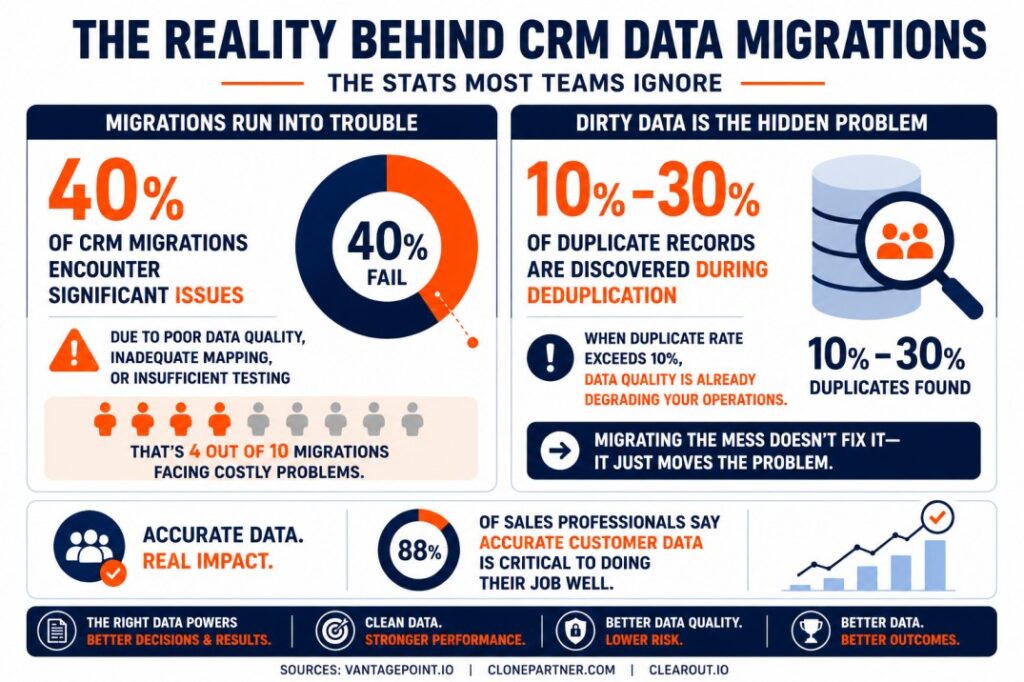
The scale of this problem is bigger than most businesses expect going in. Up to 40% of CRM migrations encounter significant issues due to poor data quality, inadequate mapping, or insufficient testing, which means the businesses that treat migration as a simple export-and-import job are genuinely playing the odds against themselves. Finalizing your CRM Data Migration Checklist is a necessary step in ensuring your success.
Data quality is usually the root cause hiding underneath all three of those failure categories. Most organizations discover somewhere between 10% and 30% duplicate records once they run a proper deduplication process, and if that rate exceeds 10%, data quality is already actively degrading sales operations regardless of which CRM a business is running. Migrating that mess into a new system doesn’t fix it, it just gives it a nicer interface to hide in.Adhering to a CRM Data Migration Checklist not only streamlines the process but also minimizes the risk of errors.
The stakes are real, too. Roughly 88% of sales professionals say having accurate customer data is critical to doing their job well, which means a migration that quietly corrupts or loses data isn’t a technical inconvenience, it’s a direct hit to whether the sales team can actually do its work.
The Basic Checklist Everyone Already Knows
To be fair to the standard advice, the well-known steps matter and shouldn’t be skipped either. A full backup and export before anything moves. Field-level mapping between source and destination systems. A defined project timeline with clear ownership. Testing before full cutover. Team training after go-live.
All of that is table stakes. It’s also where most CRM data migration checklists stop, which is exactly the problem.
What Does a Complete CRM Data Migration Checklist Actually Skip?
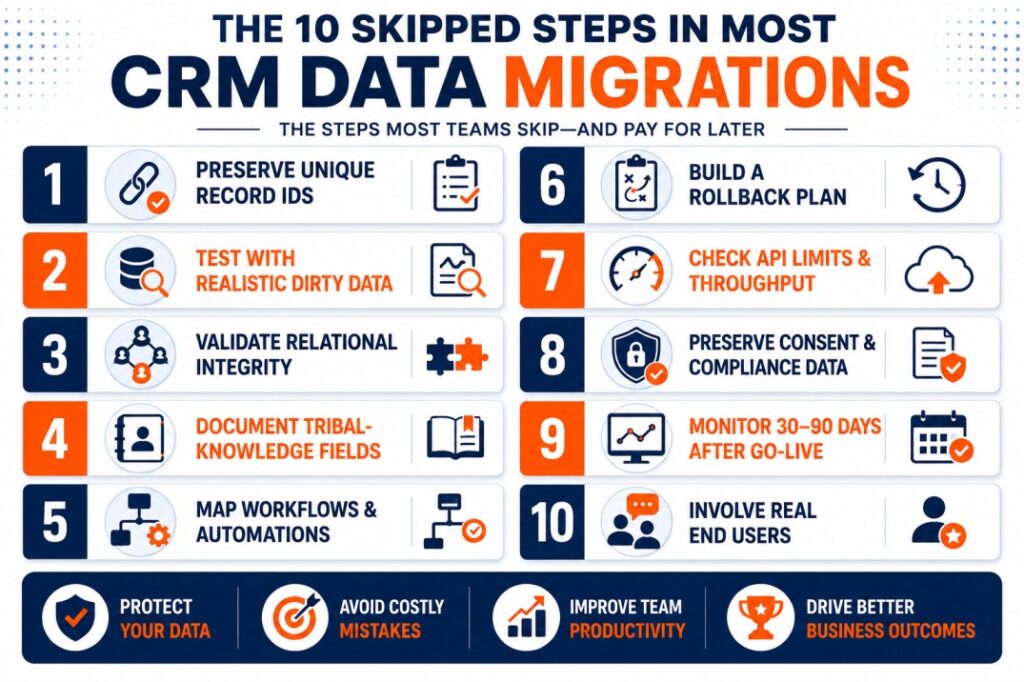
Your success during the migration hinges on a detailed CRM Data Migration Checklist. These are the steps that separate a migration that quietly causes problems for a year from one that actually holds up. Incorporating all relevant elements into your CRM Data Migration Checklist is key for a successful migration.
1. Preserving unique record IDs across systems
Every record in your source CRM has a unique identifier, and losing the mapping between old and new IDs makes it nearly impossible to trace historical reporting, resolve support tickets referencing old records, or debug data issues after the fact. This needs to be documented and preserved deliberately, not left to whatever the new system assigns by default.
2. Testing against a realistic dirty sample, not a clean one
It’s tempting to test a migration using your best-looking records, complete fields, no duplicates, clean formatting. That test tells you almost nothing about how the migration handles the messy 20% of your actual database. A representative test sample needs to include duplicates, incomplete records, and inconsistent formatting on purpose.
3. Validating relational integrity, not just record counts
The importance of a thorough CRM Data Migration Checklist cannot be overstated when preparing for a migration.
Confirming that 10,000 contacts moved over successfully doesn’t confirm anything about whether those contacts are still correctly linked to their companies, deals, and activity history. Broken relationships between records are one of the most common and hardest to detect migration failures, because the data is technically there, it’s just no longer connected the way it should be.
4. Documenting tribal-knowledge fields before they’re gone
Every long-running CRM accumulates fields nobody fully remembers the purpose of anymore, a status column with cryptic values, a custom field one departed employee used for something specific. Before migration, someone needs to track down what these actually meant, or that context disappears permanently the moment the old system goes read-only.
5. Mapping active workflows and automations, not just data
A migration checklist focused purely on records misses the automated processes running behind the scenes, lead assignment rules, notification triggers, scoring logic. These need to be inventoried and deliberately rebuilt, not assumed to somehow carry over.
6. Building an actual rollback plan, not just hoping you won’t need one
Most teams plan the forward path in detail and never seriously plan what happens if something goes wrong mid-migration. A real rollback plan defines exactly when a rollback decision gets triggered, who makes that call, and how quickly the old system can be reactivated if needed.
7. Checking API rate limits for large-volume migrations
Ultimately, a well-structured CRM Data Migration Checklist can mean the difference between failure and success. For businesses with large databases, the technical mechanics of how fast data can actually move matter. Hitting API rate limits mid-migration can silently stall a data load, and discovering that during a live cutover window is a bad time to learn it.
8. Preserving consent and compliance records, not just contact data
Ensure your team has the latest CRM Data Migration Checklist as you embark on this critical project. Utilizing a CRM Data Migration Checklist tailored to your needs will facilitate a smoother transition. Email opt-in status, consent timestamps, and communication preferences are frequently treated as secondary data during migration, when in many industries they’re legally significant. Losing the record of when and how someone consented to communication isn’t just messy, it’s a real compliance risk.
Reviewing our CRM Data Migration Checklist can significantly improve your understanding of the migration process. Incorporate industry-specific considerations into your CRM Data Migration Checklist for more tailored guidance.
9. Running a structured monitoring period after go-live
Rely on a CRM Data Migration Checklist to ensure no critical steps are missed during your migration.We recommend revisiting your CRM Data Migration Checklist regularly to ensure compliance with updated practices.
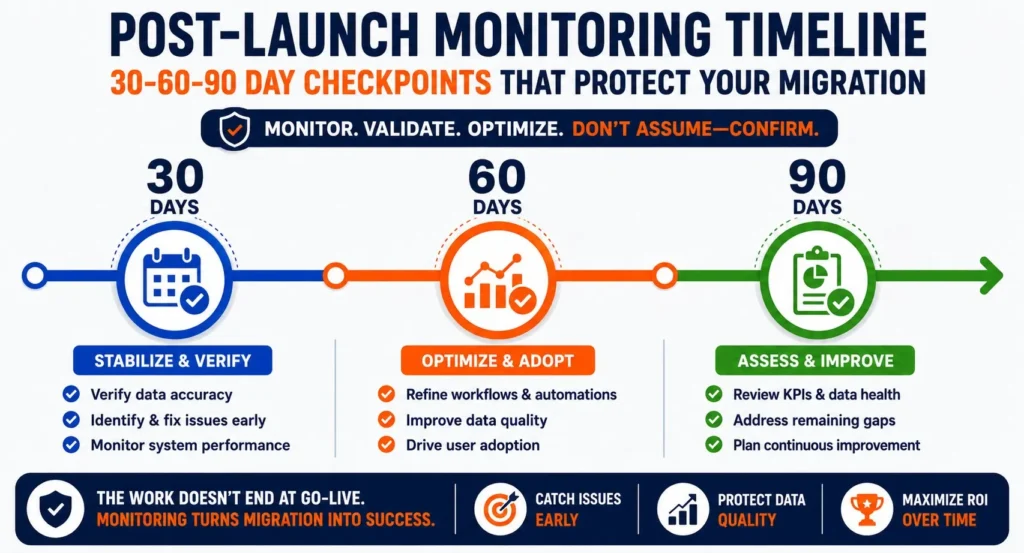
Most CRM data migration checklists end at launch. The businesses that avoid quiet, compounding problems keep monitoring data quality, sync accuracy, and user adoption for 30 to 90 days after cutover, rather than treating go-live as the finish line.
To maximize your migration’s effectiveness, always refer to your comprehensive CRM Data Migration Checklist. The detailed steps outlined in your CRM Data Migration Checklist are crucial for a successful transition.
10. Involving actual end users in validation, not just IT
Technical teams can confirm a migration moved the right number of records. Only the sales, marketing, or service reps who use the data daily can confirm it actually looks right and works the way their job requires. Skipping this step means quality issues get discovered by frustrated users weeks later instead of caught during testing.
For best results, follow the guidelines laid out in your CRM Data Migration Checklist diligently throughout the process.
Why These Steps Get Skipped
None of this is because teams are careless. It’s because these steps take real time to explain and even more time to execute properly, and under project deadline pressure, the invisible risks (a broken relationship between records, a compliance gap nobody notices for months) lose out to the visible ones (hitting a launch date). The problem is that the invisible risks are usually the ones that cost the most to fix after the fact.
Platform-Specific Migration Considerations
The checklist above applies regardless of which CRM you’re moving to or from, but the specific mechanics differ depending on your starting point. We’ve covered several of these in detail:
If you’re moving off a spreadsheet-based system entirely, our spreadsheet to CRM migration guide covers the specific data cleanup steps that matter most at that stage. For a full platform switch, our guides on Salesforce to HubSpot migration, Monday.com to HubSpot migration, GoHighLevel to HubSpot migration, and Method CRM to HubSpot migration each walk through the platform-specific mapping and automation rebuild challenges unique to that source system.
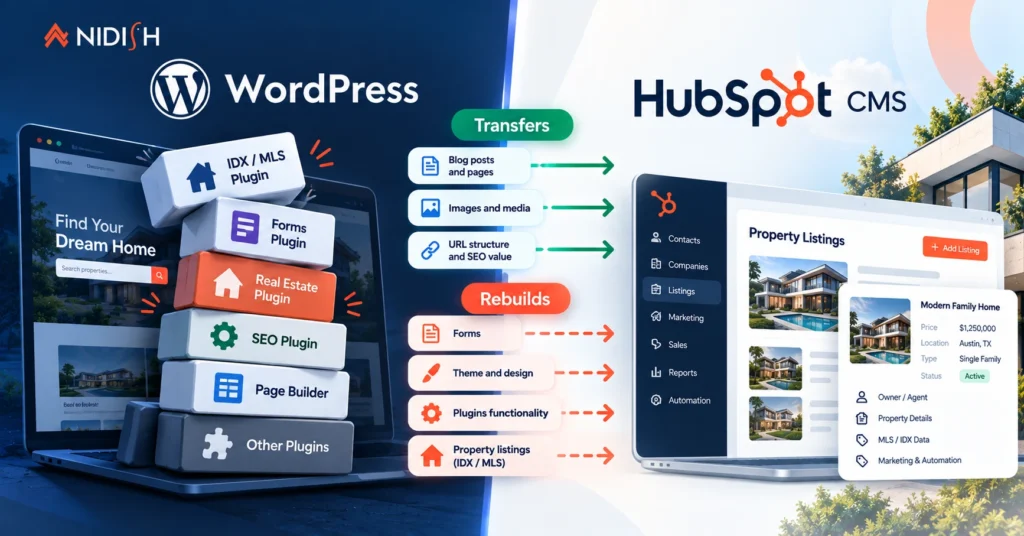
If your migration involves ecommerce data specifically, our piece on Shopify to HubSpot Commerce Hub migration and our Shopify HubSpot integration guide cover the additional considerations around order and product data. And if the migration involves your website content alongside your CRM, our WordPress to HubSpot migration guide and headless CMS migration case study cover that adjacent territory.
How Nidish Approaches CRM Data Migration
We treat the checklist above as the actual standard for every migration we run, not an aspirational list that gets cut when a deadline gets tight. That means relational integrity checks, rollback planning, and a real post-launch monitoring period are built into our process by default, not offered as an upsell after something goes wrong. If you’re planning a migration and want to know whether your current data is in better or worse shape than you think, that’s a conversation worth having before you pick a launch date, not after.
Our HubSpot implementation services page covers how we scope this work end to end, and if you’re still deciding whether a CRM migration is the right move at all, our guide on why your business needs a CRM covers that earlier decision.
Frequently Asked Questions
What is the biggest cause of CRM migration failure?
Poor data quality, inadequate field mapping, and insufficient testing account for the large majority of migration issues. Up to 40% of CRM migrations run into significant problems tied to one or more of these causes.
How many duplicate records should I expect to find before migrating?
Most organizations discover somewhere between 10% and 30% duplicate records once they run a proper deduplication process. If your rate is above 10%, it’s worth treating data cleanup as a priority step, not an optional one.
Do I need to preserve old record IDs when migrating to a new CRM?
Yes, wherever possible. Losing the mapping between old and new unique identifiers makes it far harder to trace historical reporting or resolve issues tied to older records after the migration is complete.
How long should I monitor data after a CRM migration?
A structured monitoring period of 30 to 90 days after go-live is a reasonable standard, checking data quality, sync accuracy, and user adoption rather than treating the launch date as the finish line.
Should end users be involved in migration testing, not just IT?
Yes. Technical teams can confirm record counts and successful data transfer, but only the actual end users, sales, marketing, or service reps, can confirm the data looks right and functions the way their daily work actually requires.


 Blog
Blog Case Studies
 Career