
Table of Contents
Client Overview
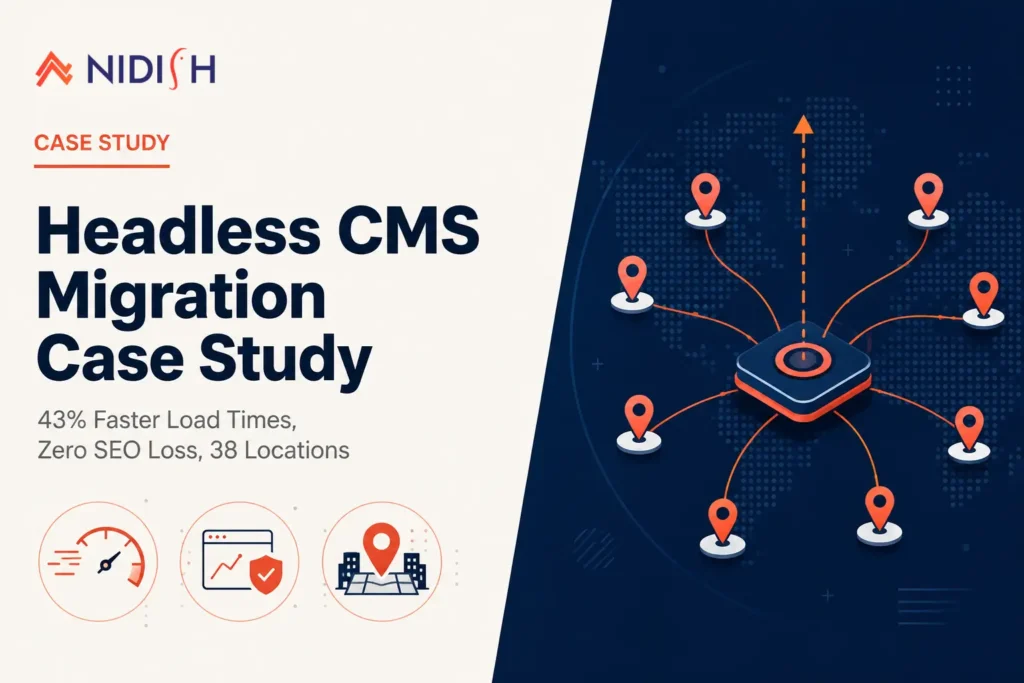
A home goods retailer operating 38 storefronts across the Pacific Northwest came to us with a website serving as both a lead-generation channel for in-store visits and a growing online catalog. Each location had its own landing page, built up over nearly six years of consistent local SEO work targeting city-specific search terms.
The site ran on a traditional, tightly coupled CMS, content and presentation baked into the same monolithic system. That setup had worked fine when the company had a dozen locations. At 38, it had become the bottleneck.
The Challenge
Page load times had crept up steadily as the site grew, particularly on location pages loaded with product carousels, embedded maps, and store-specific promotions. Mobile Core Web Vitals had slipped into “needs improvement” territory, and the marketing team was fielding complaints from regional managers about how sluggish the site felt compared to competitors.
The real tension wasn’t the slow site itself, it was what fixing it might cost. The client’s 38 location pages carried real organic equity, built over years, ranking for hyper-local terms in nearly every market they served. Any rebuild that mishandled redirects, URL structure, or metadata risked undoing that work in a matter of weeks. A full replatform felt necessary and genuinely risky at the same time.
The Solution
We proposed a headless CMS migration: decoupling the content layer from the presentation layer, so the client’s team could keep managing content the way they already knew, while the site itself ran on a dramatically faster, more flexible front end.
Architecture
Content moved into a headless-capable CMS, with a Next.js front end consuming content through API calls rather than server-rendering everything through the old template engine. This let individual location pages load only what they needed, instead of pulling the full weight of the legacy system on every request.
Redirect and URL strategy
Every one of the 38 location URLs was mapped 1:1 to its new destination before a single page went live, with 301 redirects tested in a staging environment first. This was treated as the single highest-risk part of the entire project, not a cleanup step at the end.
Metadata and schema preservation
Meta titles, descriptions, alt text, and LocalBusiness structured data for each location were migrated intact rather than regenerated, so search engines never lost the local-relevance signals the client had spent years building.
System integration
The client’s inventory and store data lived in NetSuite, and needed to stay in sync with the new front end without manual updates. We used Celigo as the integration layer connecting NetSuite to the headless CMS, so store hours, inventory availability, and promotions stayed current automatically across all 38 pages.
Phased rollout
Rather than migrating all locations at once, the launch moved in batches, starting with eight lower-traffic locations to validate redirects and rankings before touching the highest-traffic markets.
The Migration Process
Weeks 1-2: Full site audit, URL mapping, and content inventory across all 38 locations.
Weeks 3-5: Headless front-end build in Next.js, API integration, and component development for location page templates.
Weeks 6-7: Staging environment testing, redirect verification, Core Web Vitals benchmarking, and NetSuite-to-CMS sync testing via Celigo.
Week 8: Phased launch beginning with eight pilot locations, monitored closely through Google Search Console for crawl errors and ranking movement.
Weeks 9-12: Remaining 30 locations migrated in three batches, with rankings and traffic monitored throughout each wave.
The Results
- Mobile page load times improved by 43%, dropping from an average of 5.8 seconds to 3.3 seconds across location pages
- Largest Contentful Paint improved from 4.2 seconds to 1.9 seconds, moving Core Web Vitals from “needs improvement” to “good” across the majority of location pages
- Organic rankings across all 38 location pages held steady through the migration, with several markets seeing modest ranking improvements within eight weeks of full rollout
- Content publishing turnaround dropped from an average of three days (requiring developer involvement) to same-day, since the marketing team could now update location pages directly
- Bounce rate on location pages decreased by 18%, which the team attributed directly to faster load times reducing early drop-off before visitors reached store details or directions
What Does a Headless CMS Migration Actually Involve for a Multi-Location Business?
For a business with dozens of near-identical location pages, the biggest technical risk isn’t the front-end rebuild itself, it’s making sure every one of those pages keeps its SEO value through the transition. That means redirect mapping at the URL level, not the domain level, preserved structured data for local search, and phased testing before any high-traffic page goes live. According to Google’s own guidance on site moves, redirects need time in place for search engines to fully process a URL change, which is exactly why Harborview’s rollout was staged over weeks rather than launched all at once. Core Web Vitals improvements, the kind outlined in web.dev’s official overview, only compound the benefit once rankings are protected rather than put at risk.
Key Takeaways
A headless CMS migration doesn’t have to be a bet against years of local SEO work. The projects that go wrong are almost always the ones that treat redirects and metadata as an afterthought instead of the actual center of the migration plan. For this client, phasing the rollout across batches and validating on lower-traffic locations first meant the team could catch issues early, before they ever touched the markets carrying the most organic value.
The integration piece mattered just as much as the front-end rebuild. A faster site that still requires manual updates to store hours or inventory just trades one bottleneck for another, which is why syncing NetSuite through Celigo was as central to this project as the Next.js build itself.
How Nidish Approaches Headless CMS Migrations
We treat SEO preservation as a first-class requirement in every headless CMS migration, not a cleanup step after launch. That means full redirect mapping, metadata audits, and phased rollouts as standard practice, alongside the integration work, connecting platforms like NetSuite, Odoo, or Celigo, that keeps a faster front end from becoming a slower operational process behind the scenes.
If you’re weighing a similar move and worried about what it could cost you in rankings, that’s exactly the kind of risk we plan around from day one. We also cover the broader mechanics of this approach in our guide to using WordPress as a headless CMS, if you want more detail on the underlying architecture before reaching out.
Frequently Asked Questions
How long does a headless CMS migration take for a multi-location business?
For a business with dozens of location pages, expect roughly 8 to 12 weeks from audit through full rollout, depending on how many locations are migrated per batch and how much custom functionality the front end requires.
Does a headless CMS migration hurt SEO rankings?
Not when redirects, metadata, and structured data are mapped and preserved carefully. Ranking loss typically comes from skipped redirects or regenerated metadata, not from the headless architecture itself.
What’s the benefit of a headless CMS for a business with many locations?
A headless CMS separates content management from page rendering, which means faster load times per page and a marketing team that can update content directly, without needing a developer for routine changes.
Can a headless CMS still integrate with inventory or ERP systems?
Yes. In this case, NetSuite inventory and store data stayed synced with the new front end through a Celigo integration layer, so information updated automatically without manual re-entry.


 Blog
Blog Case Studies
 Career