
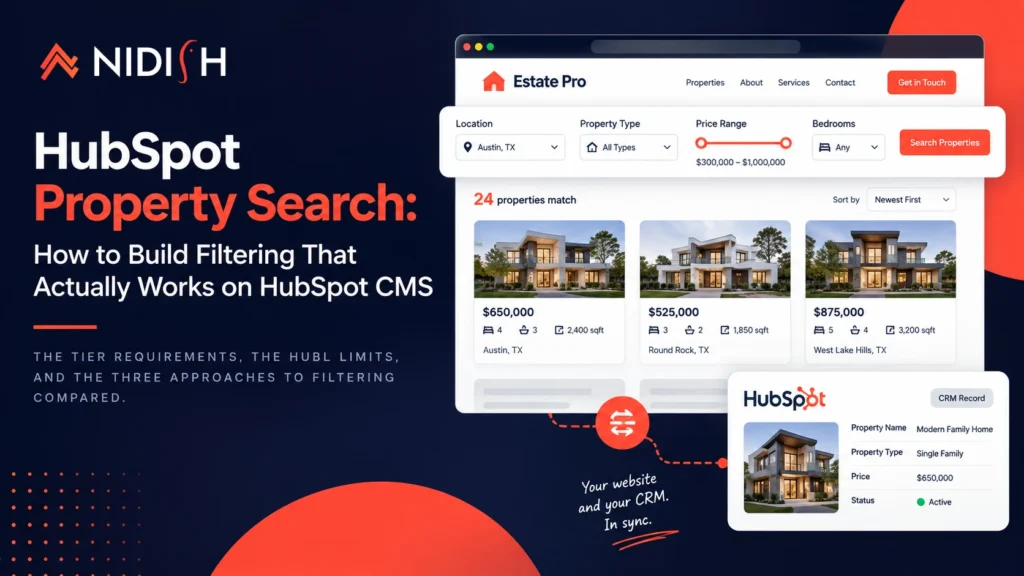
Property listing pages are the easy part. Anyone can render a grid of properties from CRM records. HubSpot property search, the bit where a visitor narrows 400 listings down to the six they want to see, is where real estate projects on HubSpot CMS lose their schedule.
The reason is structural. HubL renders on HubSpot’s servers when the page loads. A filter is something a visitor changes after the page has loaded. Those two facts are in tension, and how you resolve that tension is the entire build.
This post covers what you need before you start, the three ways to actually build the filtering, and the platform limits that will shape your decision whether you plan for them or discover them.
Table of Contents
What a property search actually has to do
Worth listing, because “add a search” hides a lot of separate work.
- Multi-criteria filtering. Price range, bedrooms, bathrooms, property type, location, status. Combined, not one at a time.
- Range filters, not just matches. “Between $300,000 and $500,000” is a different mechanism from “property type equals house.”
- Sorting. Price ascending and descending at minimum, usually newest first too.
- Result counts. “24 properties match” before someone scrolls.
- Empty states. What a visitor sees when nothing matches, and how they recover.
- Shareable URLs. A filtered view someone can send to their partner. This one gets skipped constantly and it matters more than it sounds.
- Pagination. At 400 listings you are not rendering them all.
- Mobile. Filters as a drawer or modal, because a desktop sidebar does not survive a 375px screen.
Any one of those is small. All of them together is a project.
Before you build: two prerequisites
1. Your subscription
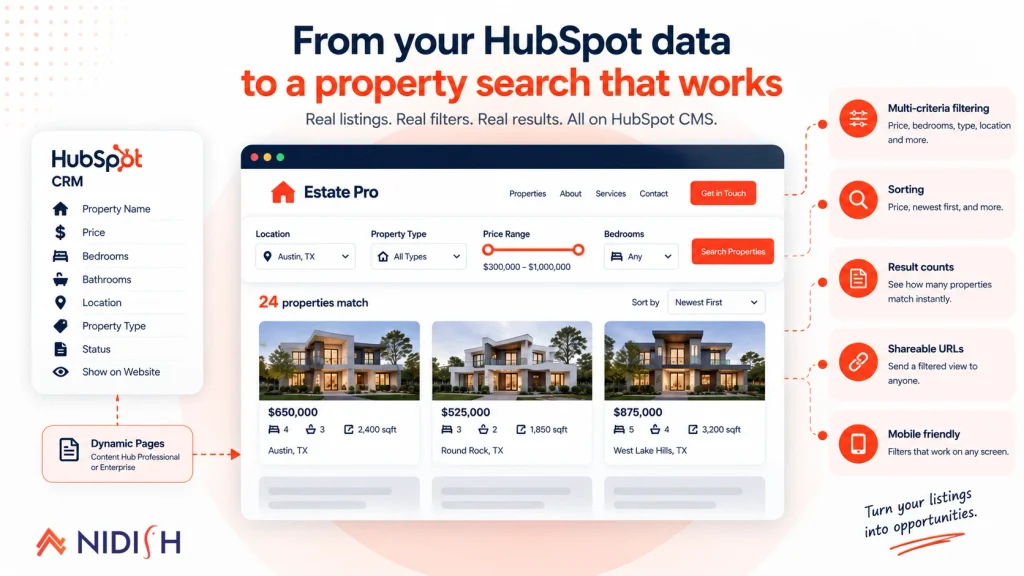
HubSpot dynamic pages require Content Hub Professional or Enterprise. That applies whether your data lives in a CRM object or a HubDB table, per HubSpot’s dynamic pages documentation.
On Content Hub Starter you cannot build a real estate website search at all in the way this post describes. You would be hand-building individual property pages, and no amount of front-end work changes that.
Check this before you scope anything.
2. Your property structure
Filtering quality is decided by data structure, not by front-end code. Three rules, and getting them wrong is expensive to reverse.
Numeric fields must be numeric: Price, bedrooms, bathrooms, square footage. If price is stored as text, you cannot do a range filter or sort by it. This single mistake breaks more property searches than anything else.
Use dropdowns, not free text, for anything filterable: Property type, status, city. Free text gives you “3 bed”, “3 Bedroom”, and “Three bed” as three separate filter options within a month.
Separate status from visibility: “Active, under offer, sold” is a status. “Show on website, hide” is a visibility flag. Merge them and you cannot keep a sold property visible as a case study.
We covered property structure in depth in the HubSpot Listing object guide. If you have not activated the Listing object yet, start there.
One trap worth repeating. The dynamic page slug must be a text property configured with hasUniqueValue: true, and HubSpot cannot add that flag to an existing property. You must create a new one. Discover this after importing 300 listings and you are backfilling a unique slug across every record.
The three ways to build property filtering
Here is the tension again: HubL runs server-side at page render, filters happen client-side after render. Three ways out.
Approach 1: server-side filtering with query parameters
The visitor submits the filter form, the page reloads with query parameters like ?type=house&min_price=300000, and HubL reads request.query_dict to filter what it renders.
Pros: Filtered views have real URLs, so they are shareable and indexable. Works without JavaScript. Result counts are accurate because the server did the counting.
Cons: Every filter change is a full page reload. On a property site where people adjust filters repeatedly, that feels slow and dated.
Use it when: SEO on filtered views matters, or your audience skews older and less tolerant of JavaScript-heavy interfaces.
Approach 2: client-side filtering with JavaScript
Render all listings into the page, hide and show them with JavaScript as filters change.
Pros: Instant. No reload. Feels like a modern property portal.
Cons: You are shipping every listing to every visitor. At 400 properties with images that is a heavy page and poor Core Web Vitals. Filtered views have no URL unless you push state manually. Nothing is indexable.
Use it when: your portfolio is genuinely small, under roughly 100 listings, and speed of interaction matters more than SEO on filtered views.
Approach 3: hybrid, server-rendered first page plus API filtering
Server-render the first page of results so the page is fast and indexable, then fetch filtered results via the API as the visitor interacts, and push the filter state into the URL so views stay shareable.
Pros: Fast initial load, instant filtering, shareable URLs, scales to large portfolios.
Cons: The most work by a distance. You are maintaining a front end and an API integration, and you need to handle loading states, errors, and race conditions when someone changes filters quickly.
Use it when: you have a real portfolio and property search is core to the business. This is what serious property sites do.
| Server-side | Client-side | Hybrid | |
| Speed of interaction | Slow, full reload | Instant | Instant |
| Shareable filtered URLs | Yes | No, unless built | Yes |
| Indexable filtered views | Yes | No | Yes |
| Scales past 200 listings | Yes | No | Yes |
| Build effort | Low | Low | High |
| Works without JavaScript | Yes | No | Partly |
The limits that will shape your build
Documented HubSpot constraints, worth knowing before you design rather than after.
Ten dynamic pages per data source: You can create up to 10 dynamic pages per CRM object. Child pages do not count, so one dynamic page generating 500 property pages counts as one. If you were planning a separate dynamic page set per city, count them first.
HubL crm_objects returns a capped set: HubSpot’s own example uses limit=200. You are not looping over 5,000 listings in HubL to build a filter interface. This constraint alone pushes larger portfolios toward the hybrid approach.
Content search indexes 10,000 records per page set: Build dynamic pages on an object with 15,000 records and only 10,000 get indexed. There is also a cap of 50,000 content search index updates per day per account.
CRM object dynamic pages need a custom details module: HubSpot states this directly. There is no drag-and-drop route to a property detail page. Someone writes the module.
Contact, Company, Deal, Ticket and Quote dynamic pages are private-content only: Not a listings constraint, but relevant if you planned public agent profile pages driven by contact records. Build agent profiles another way.
What good property search looks like
Platform mechanics aside, most property searches fail on judgement rather than code.
Show result counts before filters are applied: “412 properties” tells someone the inventory is worth their time.
Update counts live as filters change: “24 match” prevents the dead end of applying five filters and landing on nothing.
Never let someone reach zero results without a route out: Suggest relaxing the tightest filter, or show near matches.
Default to something useful: An empty state that says “use the filters above” wastes the visit. Show newest listings.
Make price ranges match the market: If your inventory runs $200,000 to $600,000, a slider that goes to $5,000,000 is useless. Set bounds from your actual data.
Preserve filters when someone goes back: A visitor who clicks into a property and hits back should land in the results they left, not a reset form. This is the single most common complaint we hear about property sites.
Filters as a drawer on mobile: Most property browsing is mobile. A sidebar that collapses into an unusable stack is worse than no sidebar.
Build or buy
An honest reckoning, since we sell a theme and you should weigh that when reading this.
Building property search properly means the dynamic pages setup, a custom details module, a listing module, the filter interface, the API integration if you go hybrid, URL state management, mobile behaviour, empty states, and pagination. Then maintenance as HubSpot updates the platform.
For an agency with a developer and unusual requirements, building is reasonable and you own it completely.
For most real estate businesses it is not the best use of budget. Estate Pro is our HubSpot real estate theme with property search and filtering already built on the Listing object, 17 page templates, single property layouts, agent profiles, and enquiry placement, for $499 on the HubSpot marketplace. That is less than the cost of building the filter interface alone.
If your requirements genuinely do not fit a marketplace theme, that is HubSpot development work and we scope it properly. If you are weighing Estate Pro against our other themes, that is in the HubSpot theme comparison.
Frequently asked questions
How do I build property search on HubSpot CMS?
Activate the Listing object, structure your properties so filterable fields are numeric or dropdown rather than free text, create a dynamic page using the Listing object as its data source, and build a custom details module and a listing module. Then implement filtering either server-side with query parameters, client-side with JavaScript, or as a hybrid of both. Dynamic pages require Content Hub Professional or Enterprise.
Do I need Content Hub Professional for HubSpot property search?
Yes. HubSpot dynamic pages require Content Hub Professional or Enterprise regardless of whether the data source is a CRM object or a HubDB table. On Content Hub Starter you cannot build dynamic property listing pages.
Why can I not filter my property listings by price?
Almost always because price is stored as a text property rather than a number property. Range filtering and sorting both require a numeric field. Fixing this after importing listings means changing the property type and re-importing the values, so get it right before the first import.
Can filtered property search results be indexed by Google?
Only if the filtered view has its own URL. Server-side filtering with query parameters produces indexable URLs. Pure client-side JavaScript filtering does not, unless you explicitly push filter state into the URL. If SEO on filtered views matters, avoid the pure client-side approach.
How many properties can HubSpot property search handle?
The Listing object itself handles large volumes, but the page-building layer has limits. HubL retrieval is capped per call, HubSpot’s own example uses 200. Content search indexes up to 10,000 records per dynamic page set. Past roughly 200 listings, plan for a hybrid approach that fetches filtered results via the API rather than rendering everything in HubL.
Should I build property search myself or buy a theme?
Build it if you have a developer and genuinely unusual requirements. For most real estate businesses, a purpose-built theme costs less than the filter interface alone would cost to build, and it comes with ongoing maintenance as HubSpot changes the platform.
Can I have separate property search pages for different cities?
Yes, within limits. You can create up to 10 dynamic pages per CRM object, so up to 10 separate listing page sets. If you need more granularity than that, handle location as a filter within one search rather than as separate page sets.
Getting it right
HubSpot property search is decided before you write any front-end code. Your subscription tier determines whether dynamic pages are available at all, and your property structure determines whether filtering can work.
Numeric fields numeric. Dropdowns not free text. Unique slug property created before the first import. Get those three right and the build is straightforward. Get them wrong and no amount of JavaScript rescues it.
If you want a second opinion on your property structure before you import, book a 30 minute call. It is a much cheaper conversation before the data goes in than after.



 Blog
Blog Case Studies
 Career