
Table of Contents
Most real estate websites on HubSpot CMS are built on a workaround. Agencies store property data in a HubDB table, or worse, publish each listing as a blog post, and then spend the next two years fighting the gap between the website and the CRM. We built Estate Pro, our new HubSpot real estate theme, to remove that gap entirely.
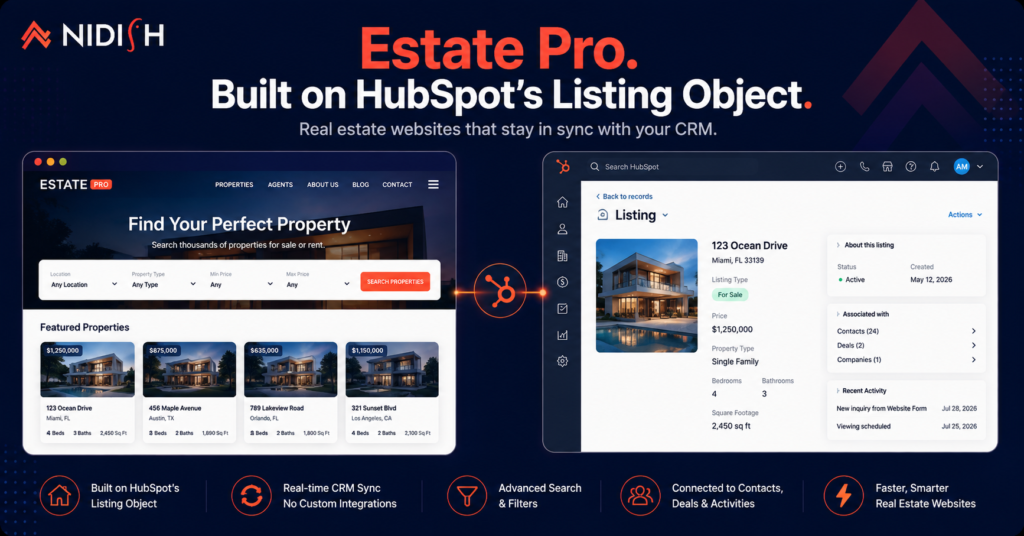
Estate Pro is live on the HubSpot marketplace as of 28 July 2026. It costs $499 and ships with 17 page templates, 15 system templates, 5 sections, and a module set built specifically for property businesses. But the number that matters is not any of those. It is this: Estate Pro runs on HubSpot’s native Listing object, the CRM object HubSpot built for real estate.
That single decision changes what a property website on HubSpot can do.
What is the HubSpot Listing object?
The HubSpot Listing object is a native CRM object that stores information about a property or unit to be bought, sold, or rented. It sits alongside contacts, companies, and deals inside the Smart CRM, with its own properties, its own associations, and its own API endpoints.
HubSpot ships it with property fields already defined, including hs_name, hs_price, and hs_listing_type. A super admin activates it from the data model builder, and HubSpot’s real estate data model recommendation will also associate listings to contacts and set up deal pipelines for buying, selling, and renting.
The important part for a website: because listings are real CRM records, a property page is not a static page you maintain by hand. It is a view of live CRM data.
Why we built a HubSpot real estate theme around it
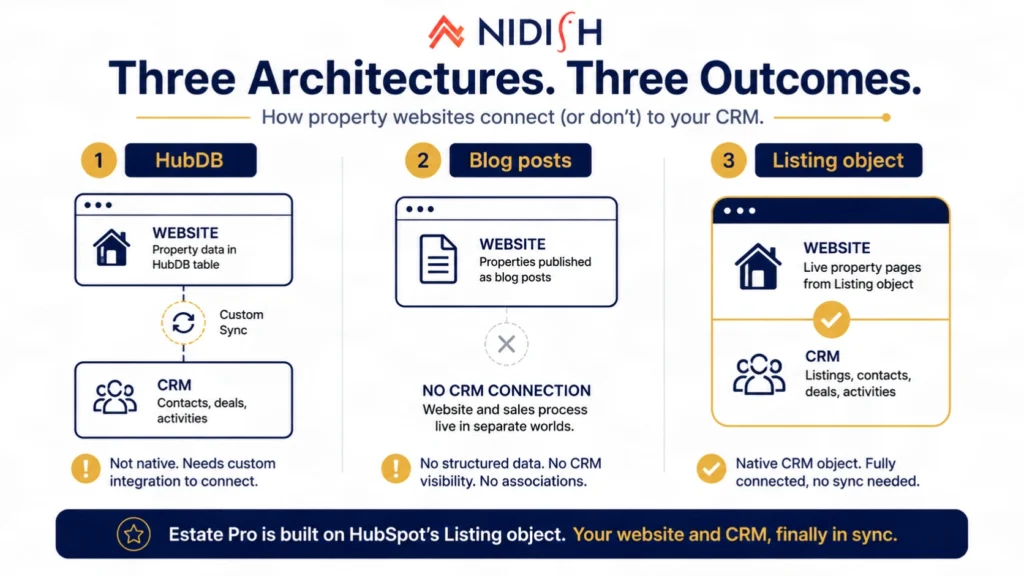
We kept seeing the same architecture on real estate projects, and it kept failing at the same point.
The HubDB approach
Property data lives in a HubDB table. Dynamic pages render from it. This works, and it works reasonably well up to a point. The problem is that HubDB is a website database, not a CRM object. Your listings are not records. A sales rep cannot open a property in the CRM, see which contacts enquired about it, and log a viewing against it. To connect the two, someone builds a sync, and now you own a custom integration forever.
The blog post approach
Each property becomes a blog post. Cheap to start, painful within six months. No structured filtering, no price sorting, no property type facets, and every listing you delete leaves a hole in your blog archive.
The external portal approach
The website points at a third-party listing portal. Now your highest-intent traffic leaves your domain, and the enquiry data lands somewhere other than HubSpot.
All three fail for the same reason. The property is not a first-class object in your CRM, so the website and the sales process live in separate worlds.
The HubSpot Listing object solves that at the platform level. Estate Pro is the theme that assumes it exists.
What Estate Pro includes
Here is exactly what ships, as of version 2 (5 August 2026).
| What | Count | Notes |
| Page templates | 17 | Home, property listings, single property, agents, about, contact, blog, landing pages |
| System templates | 15 | Error pages, search results, membership and password pages |
| Sections | 5 | Pre-built layout blocks for fast page assembly |
| Modules | 16 | Property cards, search and filter, agent cards, enquiry blocks, and more |
| Price | $499 | One-time, includes lifetime access to updates |
| Support | 4 hours setup + unlimited email | Response within 1 business day |
The features that matter most on a property site:
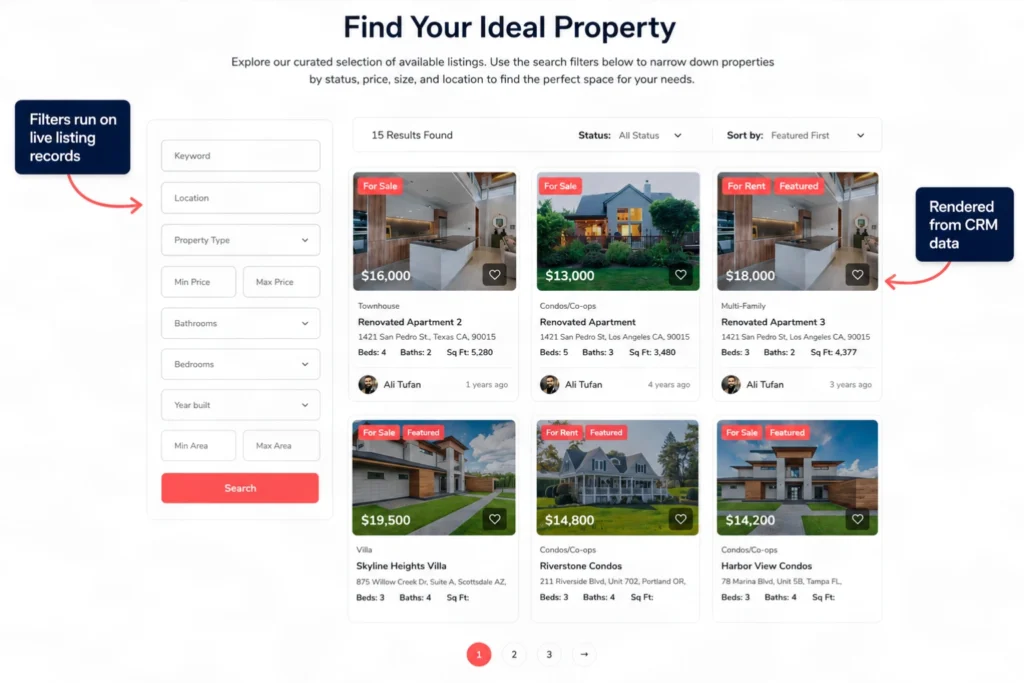
Advanced property search and filter: Visitors filter by the criteria that actually drive a decision, with results updating against live listing data rather than a hardcoded page.
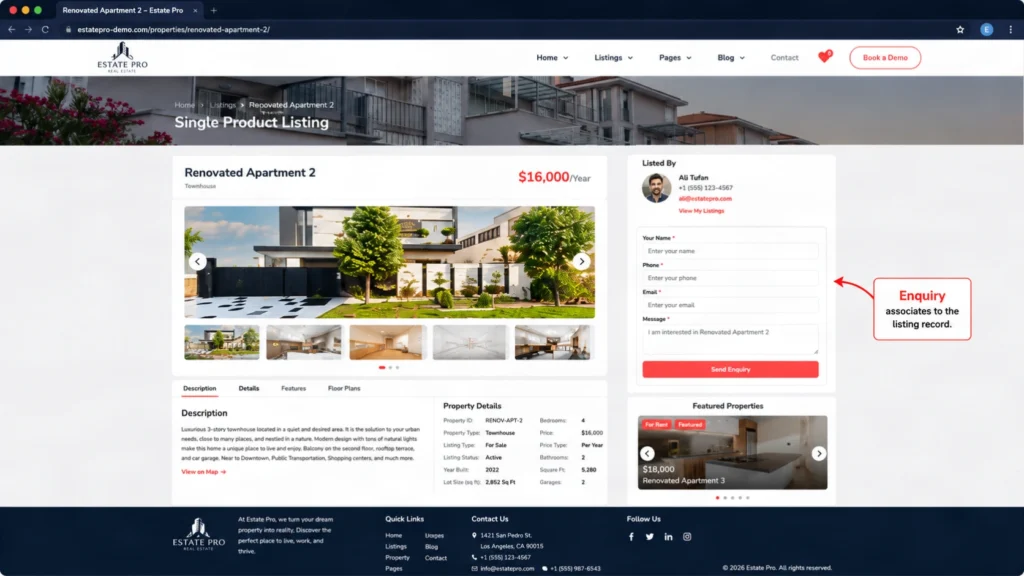
Single property detail templates: Layouts built to carry image galleries, specifications, amenities, location, and an enquiry path that does not make the visitor hunt for it.
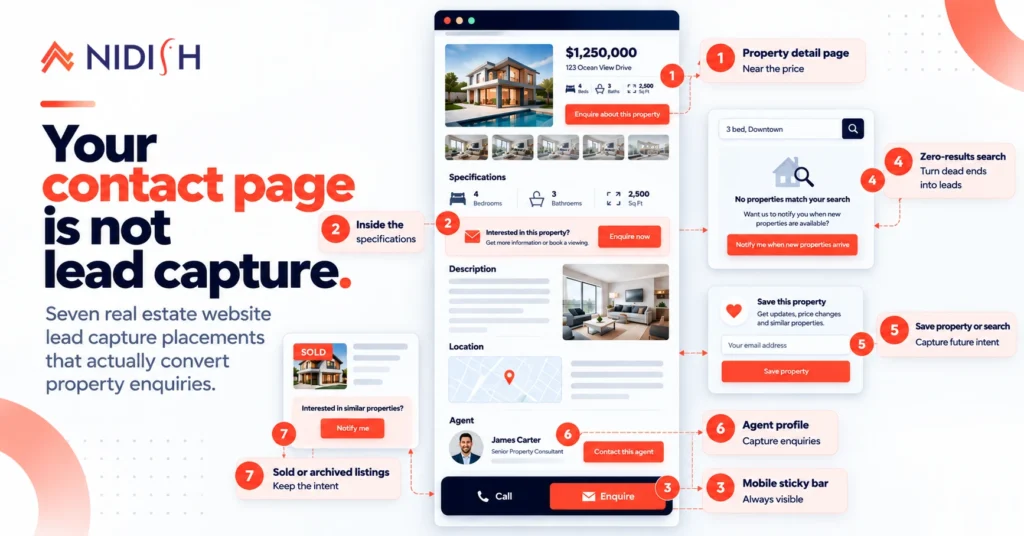
Conversion-focused enquiry placement: Enquiry blocks are positioned across listing pages, detail pages, and agent pages, because a property enquiry is a high-intent action that dies if you make someone scroll for it.
Agent and team profiles: Real estate is a trust purchase. Agent cards and profile layouts are built in rather than bolted on.
Full drag and drop: Every layout is editable in the HubSpot page editor. Your marketing person changes a hero, a filter label, or a colour without opening a support ticket.
What this actually gets you
The theme is the visible part. The architecture is the part that pays off in month six.
Your website and your CRM share one source of truth: Update a price on the listing record and the website reflects it. There is no sync job, no HubDB import, no stale data.
Enquiries associate to the property: When someone submits an enquiry on a property page, the contact can be associated to that listing record. Your agent opens the contact and sees which property they asked about. That is a normal expectation in real estate software and a genuinely annoying thing to build from scratch on HubDB.
Workflows can fire on property data: Because listings are CRM records, HubSpot automation can act on them. Price change, status change, new listing in a saved area. These become normal workflow triggers rather than custom development.
Reporting works: Listing performance, enquiries per property, time on market. These come from CRM reporting rather than a spreadsheet somebody maintains on Fridays.
You can sync external property data: The listings API supports create, update, batch, and upsert operations, which is what you need if property data originates in an MLS feed or a property management system.
Who Estate Pro is for, and who it is not for
Honest version, because a $499 theme should not be sold to someone who does not need it.
Estate Pro fits you if:
- You are a residential or commercial agency, brokerage, developer, property consultant, or rental business
- Properties are the core of what your website presents
- You are on HubSpot CMS, or moving to it
- You want property data to live in your CRM rather than beside it
Estate Pro is probably not right if:
- Your website is mostly about services and only occasionally shows properties. In that case Siloh Pro at $899 is the better buy, with 39 page templates built for professional services firms. We would rather tell you that than sell you the wrong theme.
- You need a full transaction management system. Estate Pro is a website theme with a CRM-native listing architecture. It is not a brokerage back office.
Getting started
- Confirm the Listing object is activated in your HubSpot account. A super admin does this from the data model builder or we can help you in that with our FREE development support.
- Purchase and install Estate Pro from the HubSpot marketplace.
- Follow the Estate Pro documentation for theme settings, colors, typography, and module configuration.
- Load your listings, either manually in the CRM or through the listings API if you are importing from an existing system.
- Use your 4 hours of included setup support. Most teams use it on brand configuration and property search behaviour.
If you are moving an existing property website across, our HubSpot migration team handles the content, URL structure, and redirect side of that. If you need custom property fields, MLS sync, or workflow automation on top of the theme, that is HubSpot development work and we can scope it on a call.
Frequently asked questions
What is the HubSpot Listing object used for?
The Listing object stores information about a property or unit to be bought, sold, or rented as a native CRM record. It supports its own properties, associations to contacts and companies, workflow automation, reporting, and a full API. It must be activated by a super admin in the data model builder before use.
Is Estate Pro better than using HubDB for property listings?
For most real estate businesses, yes. HubDB is a website database, so listings stored there are not CRM records and cannot be associated with contacts, used in workflows, or reported on natively. The Listing object is a CRM object, so all of that works without a custom integration. HubDB still makes sense for non-CRM structured content such as location directories.
How much does Estate Pro cost?
Estate Pro is $499 as a one-time purchase on the HubSpot marketplace. That includes 17 page templates, 15 system templates, 5 sections, 4 hours of setup support, unlimited email support, and ongoing version updates.
Can I customise Estate Pro without a developer?
Yes for most of it. The theme is fully drag and drop, and colours, typography, spacing, buttons, layouts, and module settings are editable in the HubSpot page editor. Custom modules, new property fields, or third-party data sync do need development work.
Does Estate Pro work for commercial real estate?
Yes. Estate Pro is built for residential, commercial, luxury, rental, and property management businesses. Commercial listings tend to need different property fields than residential, and because the Listing object supports custom properties, you can add them without modifying the theme.
Can I import property data from an MLS or property management system?
Yes, through HubSpot’s listings API, which supports single and batch create, update, and upsert operations. The integration work itself is a development project, and we scope those separately.
Where this goes next
We are publishing a deeper technical breakdown of the HubSpot Listing object next, covering activation, default and custom properties, associations, and the buy, sell, and rent pipelines HubSpot recommends for real estate accounts. If property data architecture on HubSpot is the thing you are actually trying to solve, that post will be more useful than this one.
Estate Pro is live now on the HubSpot marketplace. If you want to talk through whether this HubSpot real estate theme fits your setup before you buy, book a 30 minute call and we will give you a straight answer.



 Blog
Blog Case Studies
 Career