
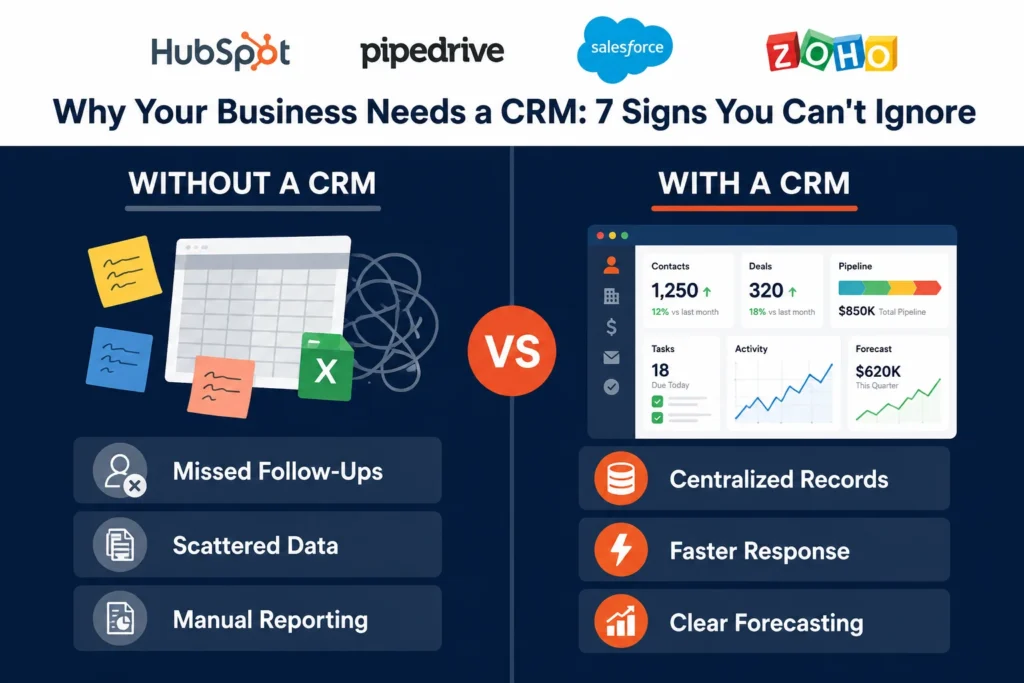
If your team is still tracking leads in a spreadsheet, following up through memory, or losing deals because nobody knows who last spoke to a client, you already know the feeling. That gap between “we’re growing” and “we can’t keep up with our own growth” is usually where the CRM software conversation starts.
Most businesses don’t wake up one day and decide they need a CRM. It happens gradually. A lead gets missed. A rep forgets to follow up. A manager asks for a pipeline report and gets three different answers from three different spreadsheets. Individually, none of these feel like a crisis. Together, they’re the clearest sign that your current system, whatever it is, has stopped scaling with you.
This guide goes deep into why your business needs a CRM: the real signs it’s time to stop putting it off, what CRM software actually costs, what implementation looks like in practice, the mistakes that sink most rollouts, and how to think about choosing the right CRM platform for how your team actually works.
Table of Contents
Quick Answer
A CRM (Customer Relationship Management system) centralizes every customer interaction, from first contact to closed deal to support ticket, into one place your whole team can see. Businesses that adopt CRM software typically see faster response times, fewer missed follow-ups, and cleaner data for forecasting. The real question isn’t whether your business needs a CRM system, it’s how much longer you can operate efficiently without one, and what that delay is quietly costing you in lost deals and wasted hours.
What Does a CRM Actually Do for Your Business?
At its core, a CRM system replaces scattered notes, inboxes, and spreadsheets with a single source of truth. Every call, email, form submission, and deal stage lives on one contact record, so anyone on your team can pick up a conversation without starting from scratch.
That matters more as a business grows. What works fine for three people sharing a spreadsheet breaks down fast once you’re managing dozens or hundreds of active relationships across sales, marketing, and support. This is really the heart of the CRM vs spreadsheet debate: a spreadsheet can hold data, but it can’t remind anyone to act on it, flag a stalled deal, or show a manager where the pipeline actually stands without someone manually pulling it together.
Think about what actually happens inside a CRM on a normal day. A lead fills out a form on your website. Instead of landing in a shared inbox where it might sit for a day, it’s instantly assigned to a rep, logged with its source, and queued into a follow-up sequence. When that rep calls, the CRM pulls up every prior touchpoint automatically, so the conversation doesn’t start with “sorry, can you remind me what we discussed last time.” When the deal closes, the transition to onboarding or support happens with full context intact, not a forwarded email chain missing half the story.
The Real Cost of Not Having a CRM
It’s worth sitting with this for a second, because “we’ll get to it eventually” has a real price tag attached. Every missed follow-up is a deal that might have closed. Every duplicate outreach from sales and marketing hitting the same lead is a slightly annoyed prospect. Every hour a manager spends manually compiling a sales report is an hour not spent coaching the team or closing gaps in the pipeline.
The pattern shows up clearly in adoption data too. Companies with ten or more employees have reached near universal CRM adoption, while businesses under that size sit closer to half, and that gap tends to track directly with how much revenue quietly leaks out through disorganized follow-up. The businesses that delay longest usually aren’t the ones who don’t need a CRM, they’re the ones absorbing the cost without measuring it.
Signs Your Business Needs a CRM
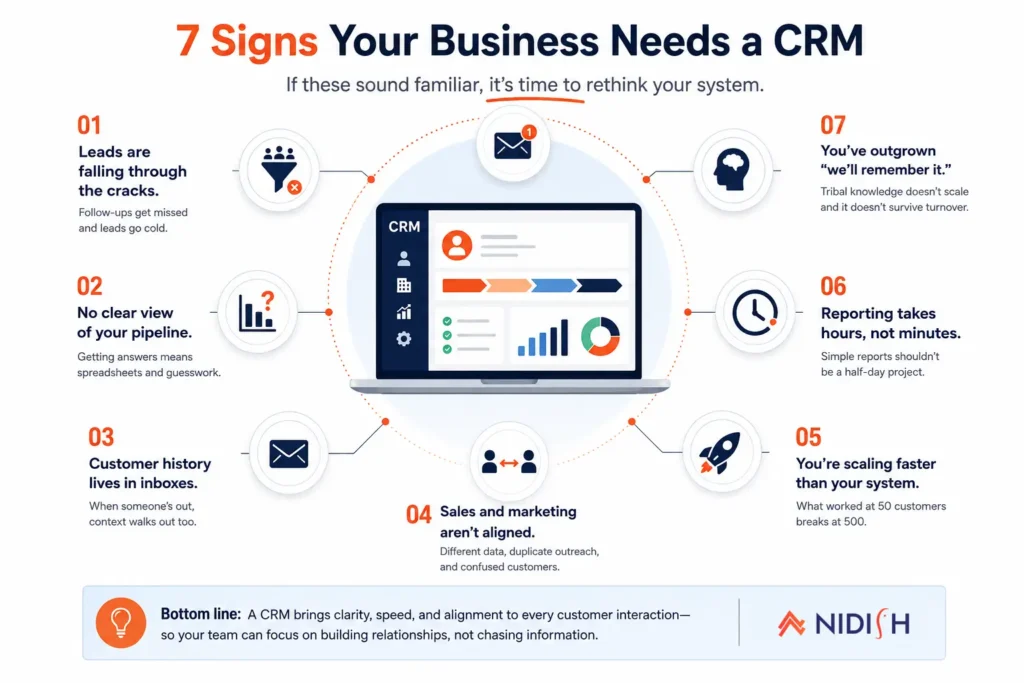
If a few of these sound familiar, it’s a strong signal your business needs a CRM sooner rather than later. This holds true whether you’re a five-person team weighing your first small business CRM or a larger company that’s simply outgrown its current tools.
- Leads are falling through the cracks: Nobody’s following up because nobody’s tracking who needs a follow-up, and by the time anyone notices, the lead has gone cold or bought from a competitor.
- Your team can’t answer “what’s our pipeline look like” without a scramble: If forecasting means someone manually checking five different spreadsheets and cross-referencing them by hand, that’s a CRM problem, not a discipline problem.
- Customer history lives in someone’s inbox: When that person is out sick, on vacation, or leaves the company, so does the context, and the next person starts from zero.
- Marketing and sales aren’t working off the same data: Leads get double-contacted, or worse, not contacted at all, because nobody can see what the other team already did.
- You’re scaling faster than your current system can handle: What worked at 50 customers doesn’t work at 500, and the cracks tend to show up right when growth is at its most fragile.
- Reporting takes hours instead of minutes: If pulling a simple sales report is a half-day project involving three tabs and a lot of copy-pasting, that’s time your team isn’t spending on customers.
- You’ve outgrown “we’ll remember it:” Tribal knowledge doesn’t scale, and it definitely doesn’t survive turnover, a resignation letter shouldn’t come with a knowledge transfer crisis attached.
The Real Benefits of CRM Software
The case for why your business needs a CRM isn’t just anecdotal. Adoption data backs it up pretty consistently. Companies with ten or more employees have reached near universal CRM adoption, and that adoption curve has been climbing steadily as cloud-based tools have made setup less of a barrier for smaller teams. Businesses that implement CRM systems commonly report meaningfully higher customer retention, largely because centralized data makes every interaction feel more consistent and less like starting over. Small business CRM adoption specifically has been climbing steadily over the past few years as pricing has come down and setup has gotten simpler.
The benefits of CRM software for small business owners look a little different than they do for larger teams, but the underlying pattern holds either way:
- Faster response times, since reps aren’t digging through old emails to find context before they can even respond
- Fewer dropped leads, because follow-ups are tracked and assigned instead of relying on memory
- Cleaner forecasting, since deal data lives in one place instead of five different spreadsheets with five different versions of the truth
- Better handoffs between marketing, sales, and support teams, so customers stop having to repeat themselves
- A clearer picture of what’s actually driving revenue, which channels convert, and which ones are just generating noise
It’s worth being realistic about the flip side too. A CRM only delivers these benefits if people actually use it. Plenty of CRM rollouts stall out not because the software failed, but because the team never fully adopted it, which is exactly why the implementation and mistakes sections below matter as much as the feature list.
What Does CRM Implementation Actually Look Like?
Buying a CRM and actually running your business through it are two very different milestones. A typical CRM implementation moves through a few predictable phases, and knowing what to expect ahead of time is what separates a smooth rollout from a stalled one.
Weeks 1-2: Setup and data migration
This is where your existing contacts, deals, and history get imported and cleaned up. It’s also the point to define your pipeline stages, so the CRM actually reflects how your team sells rather than a generic template.
Weeks 2-4: Workflow and automation build
Follow-up sequences, lead assignment rules, and reporting dashboards get configured here. This is also where integrations with your other tools, email, calendar, ERP, get connected.
Weeks 4-6: Team training and soft launch
The team starts using the CRM for real deals, usually alongside their old process for a short overlap period, so nothing falls through the cracks during the transition.
Week 6 onward: Full adoption and refinement
Once the team is comfortable, the old process gets retired and the CRM becomes the single source of truth. Most teams keep adjusting workflows and reports for a few months after launch as real usage surfaces small gaps.
Smaller, simpler setups can compress this timeline into a couple of weeks. Larger teams with more data, more integrations, and more custom workflows should expect the fuller six-plus week version, sometimes longer if multiple departments are involved.
How Much Does CRM Software Cost?
Pricing varies a lot depending on the platform and how much customization you need, but it’s helpful to have a rough sense of the range before you start evaluating options. Many platforms offer a free or low-cost entry tier aimed at very small teams, while mid-tier plans built for growing sales teams typically land somewhere in the tens of dollars per user, per month. Enterprise-grade plans with heavier customization, advanced reporting, and dedicated support climb well beyond that.
The number that usually gets quoted isn’t the whole story either. Implementation, data migration, training time, and any custom integrations all add to the real cost of getting a CRM fully running, not just the monthly subscription. Teams that budget only for the software license and not the setup work are often the ones that end up with a half-adopted system a year later.
Which CRM Platform Is Right for Your Business?
This is where things get specific, because “you need a CRM” and “you need this particular CRM” are two different conversations. Figuring out how to choose a CRM comes down to your team size, sales process, budget, and what you’re already using for marketing, ERP, or support.
HubSpot tends to fit teams that want marketing, sales, and service tools in one connected platform rather than stitching separate tools together. It’s a strong fit if you’re already thinking about content, email, and lead nurturing as part of the same system as your sales pipeline. If you’re comparing it directly against other major CRMs, our HubSpot vs Salesforce breakdown is a good place to start.
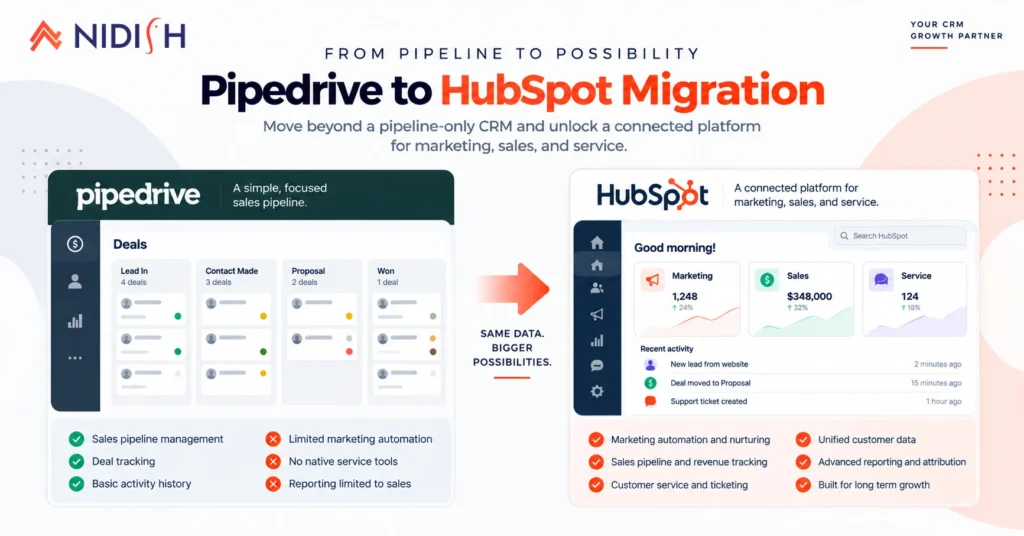
Pipedrive is often the pick for sales-first teams that want a simple, visual pipeline without a steep learning curve. It’s built around the deal pipeline itself rather than a broader marketing suite, which makes it easier to roll out fast for teams that just need sales tracking done well. We’ve covered why Pipedrive works well for sales automation and how it fits small and mid-sized business teams specifically.
Salesforce generally makes sense for larger, more complex sales organizations that need deep customization and are prepared to invest in the setup and ongoing admin work that comes with that flexibility. It’s less about ease of use out of the box and more about how far it can be shaped to match a complex sales process. The HubSpot comparison linked above covers how the two compare directly.
Zoho is a common choice for budget-conscious teams that still want a fairly full-featured system without paying enterprise pricing. It tends to appeal to teams that want breadth of features across sales, service, and even some marketing, without committing to a bigger platform’s price tag. If you’re trying to decide between building it yourself or bringing in outside help, this breakdown on Zoho consulting versus DIY is worth a read.
Connecting Your CRM to the Rest of Your Business
A CRM rarely operates on its own. Once it’s in place, the next question is usually how it talks to the rest of your systems, particularly finance, inventory, and operations. A CRM that doesn’t sync with the rest of your stack ends up creating a second version of the same disconnect it was supposed to solve, just with better-looking dashboards.
If you’re running NetSuite alongside your CRM, keeping the two in sync matters more than most teams expect, especially once invoicing, order status, and customer records need to stay consistent across both systems. We’ve written about NetSuite integration for invoice automation as one example of what that connection can look like in practice.
For businesses using Odoo as their operational backbone, our overview of Odoo covers where it fits alongside a CRM rather than instead of one, since the two solve different problems that need to stay connected.
And if you’re connecting multiple platforms at once, rather than just one CRM and one ERP, Celigo is one of the more common integration layers we see used to keep everything talking without a pile of custom scripts holding it together. Our guide to Celigo integration services covers how that typically gets set up.
Common CRM Mistakes to Avoid
A surprising number of CRM rollouts underdeliver, and it’s rarely the software’s fault. A few patterns show up again and again:
- Buying before mapping the process: Configuring a CRM around a sales process nobody’s actually defined just digitizes the chaos instead of fixing it.
- Skipping team buy-in: If reps see the CRM as extra data entry rather than something that makes their job easier, adoption stalls fast.
- Importing messy data: Migrating years of duplicate, outdated, or incomplete contact records into a new system just moves the mess somewhere shinier.
- Turning on every feature at once: Teams that try to configure every automation and report on day one often get overwhelmed and quietly revert to old habits.
- No one owns the system: Without someone responsible for keeping data clean and workflows updated, even a well-built CRM slowly drifts out of date.
- Underestimating training time: A single onboarding session rarely sticks. Ongoing, brief check-ins in the first few months make a much bigger difference in actual adoption.
How Nidish Can Help
We work across HubSpot, Pipedrive, Salesforce, Zoho, NetSuite, Odoo, and Celigo, so the recommendation you get isn’t tied to only one platform. If you’re not sure which CRM fits your team, already have one that isn’t talking to the rest of your stack, or you’re worried an implementation might stall the way so many do, that’s the exact problem we help sort out.
No pressure to pick anything today. If it’s useful, we’re happy to walk through what your setup actually needs before you commit to a platform or a rollout timeline.
Frequently Asked Questions
How do I know if my business is too small for a CRM?
Team size matters less than process. If you’re losing track of leads or follow-ups even with a handful of customers, a simple CRM setup is usually worth it. Adoption tends to climb sharply once a team passes about ten people, but plenty of smaller teams benefit earlier.
What’s the difference between a CRM and an ERP?
A CRM manages customer-facing relationships (leads, deals, support). An ERP manages internal operations (finance, inventory, supply chain). Many businesses eventually need both, connected to each other rather than running separately.
How long does it take to implement a CRM?
Simple setups can be running within a couple of weeks, while larger, more customized implementations with multiple integrations typically take six to eight weeks from setup through full team adoption.
Can I switch CRM platforms later if I outgrow my first choice?
Yes, though it’s not always simple. Migrating CRM data and rebuilding workflows takes planning, which is why it’s worth thinking through your likely growth path before choosing a platform in the first place.
What is the best CRM for a small business?
There’s no single answer, since the best CRM for small business needs depends on your sales process, budget, and what other tools you’re running. Pipedrive and Zoho tend to suit lean, sales-first teams, while HubSpot works well once marketing and service need to live alongside sales.
Is CRM software worth it for a small team?
For most small teams, yes, especially once leads or follow-ups start slipping through the cracks. Even a simple CRM setup tends to pay for itself in recovered deals and saved time within the first few months, as long as the team actually adopts it.
Why do so many CRM implementations fail?
Most failures trace back to poor adoption rather than bad software, teams that skip process mapping, rush data migration, or don’t assign clear ownership of the system tend to see it fall out of use within the first year.


 Blog
Blog Case Studies
 Career