
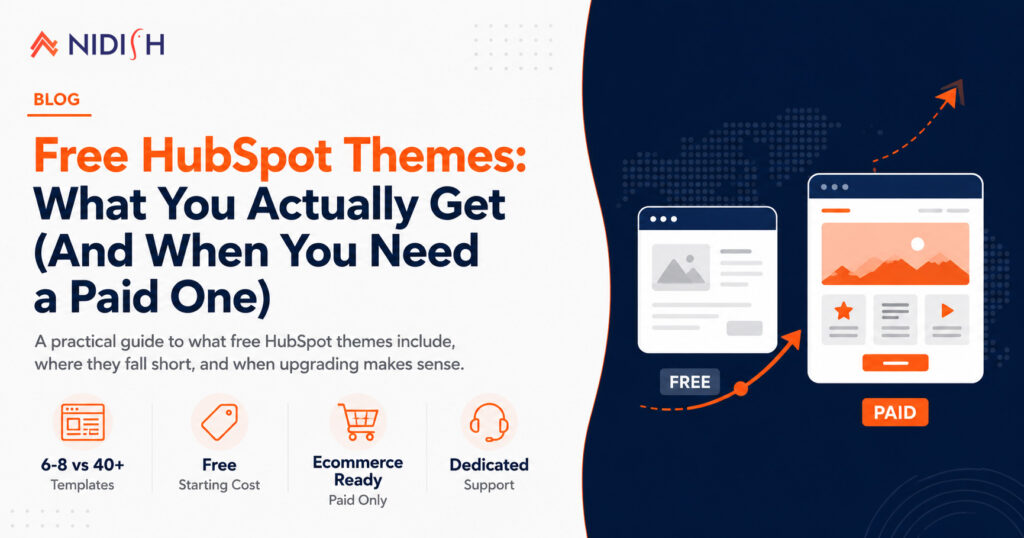
If you just signed up for HubSpot Content Hub, there’s a good chance the first thing you searched was “free HubSpot themes.” It’s the natural first move. Why pay for a theme before you even know if HubSpot is the right fit for your business?
The good news is that free HubSpot themes are genuinely usable. The not-so-good news is that they’re built to get you started, not to grow with you. This article breaks down exactly what you get with a free theme, where the gaps show up, and the specific point where it makes sense to move to a paid one.
Table of Contents
Free HubSpot themes give you a working website with a homepage, blog, and a handful of core templates, built on HubSpot’s CMS with drag-and-drop editing. What they typically don’t give you is template variety beyond the basics, deep module libraries, dedicated support, or the flexibility to build out landing pages, case studies, or ecommerce flows without hitting a wall. Most businesses outgrow a free theme within a few months of active marketing, at which point a paid theme becomes the cheaper option, not the more expensive one.
What You Actually Get With Free HubSpot Themes
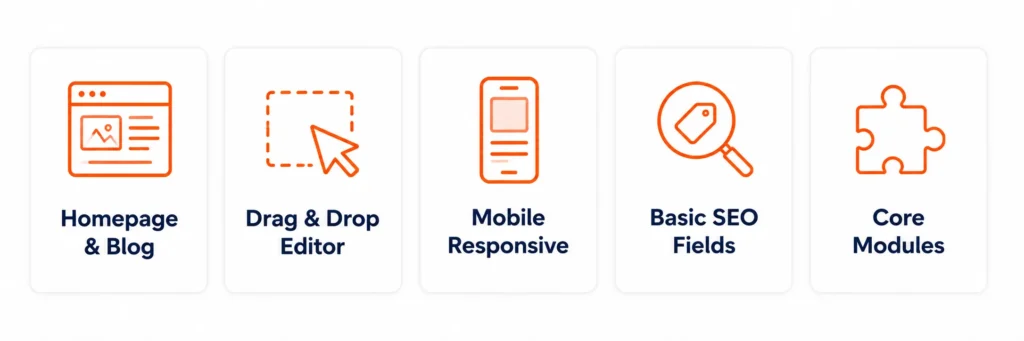
Free HubSpot themes aren’t a stripped-down demo. They’re real, functioning themes built on the same CMS infrastructure as paid ones. When you install one from the HubSpot theme marketplace, you typically get:
- A homepage, about page, and blog setup ready to publish with minimal editing
- A drag-and-drop editor so you can rearrange sections without touching code
- Mobile-responsive layouts that resize properly on phones and tablets
- Basic SEO fields built into each page and post
- A handful of modules like text blocks, image galleries, and simple CTAs
HubSpot’s own marketplace positions themes as a complete package of templates, modules, global content, and style settings, professionally built so the heavy lifting is already done. That’s true even for the free tier. If your only goal is getting a simple, professional-looking site live this week, a free theme will do that.
For a very early-stage business, a solo consultant, or someone testing whether HubSpot is worth committing to, this is often enough. The problem shows up later.
What’s Missing From Free HubSpot Themes
This is where most people find out the hard way. Free HubSpot themes tend to fall short in a few specific places:
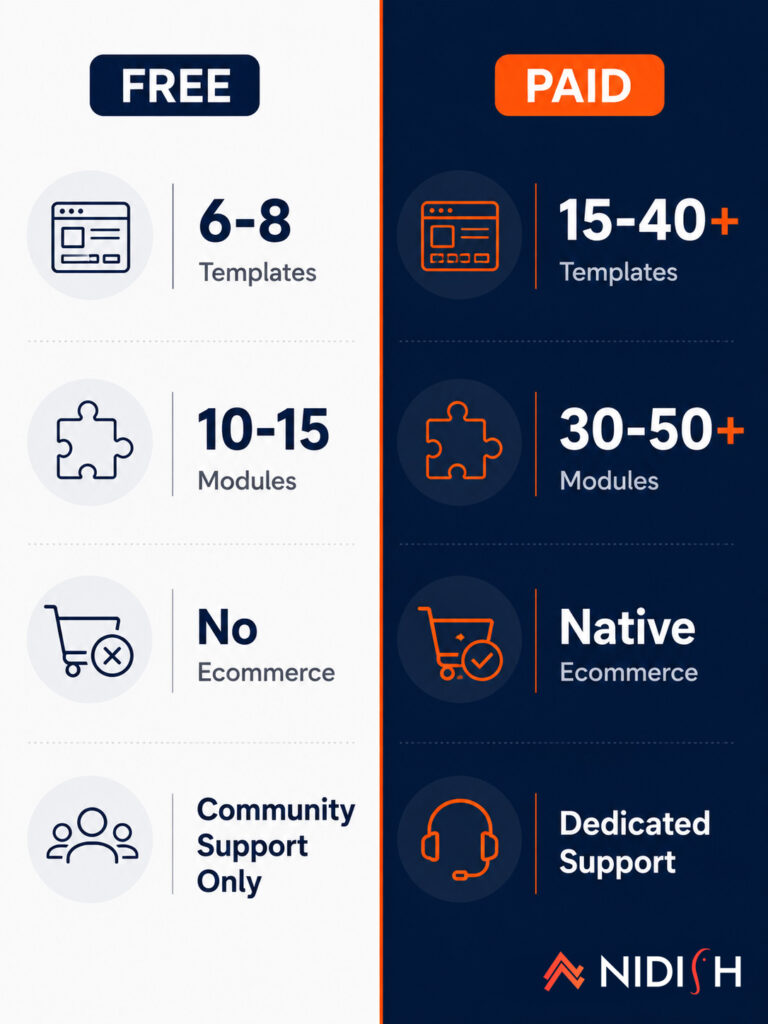
Limited page templates: Most free themes ship with six to eight templates. That covers a homepage and a blog, but not landing pages, pricing pages, case studies, product listings, or documentation. Once your marketing team wants to run a campaign with a dedicated landing page, you’re either building it from scratch or working around the theme.
Thin module libraries: A paid theme might ship with 30 to 50 custom modules covering pricing tables, testimonial carousels, team grids, and FAQ accordions. A free theme usually gives you a dozen at most, and several of those are just variations of the same text block.
No ecommerce or advanced CRM integration: If you’re planning to sell products, manage inventory, or build a customer account experience, free themes almost never support it. That functionality is reserved for paid, purpose-built ecommerce themes.
No dedicated support: Free themes are typically community-supported at best. If something breaks or a module behaves oddly, you’re on your own or waiting in a general support queue.
Editing constraints once you’re live: Marketplace themes are read-only once installed, and customizing beyond the theme settings panel requires child theme workarounds. Those workarounds are capped depending on your subscription tier, which limits how far you can push a free theme even if you’re willing to get technical.
Are Free HubSpot Themes Good Enough for a Growing Business?
For a growing business, the honest answer is: for a while, yes, and then no. Free HubSpot themes are good enough for validating an idea, launching an MVP site, or covering a small business that only needs a handful of pages. They’re not built for a company that’s actively running demand generation campaigns, publishing a real content calendar, or planning to add ecommerce or CRM-driven personalization.
The pattern shows up consistently. A team launches on a free theme, marketing picks up, and within a few months someone needs a landing page template, a case study layout, or a product page that the theme simply doesn’t have. At that point, the choice isn’t really “free vs. paid” anymore. It’s “rebuild now on a theme built for this, or keep patching a theme that wasn’t.”
The Real Cost of Outgrowing a Free Theme
The sneaky cost of a free HubSpot theme isn’t the theme itself. It’s the migration cost you pay later. Every custom page you build to compensate for missing templates, every module you hack together to fill a gap, becomes work that has to be redone when you eventually switch themes. Migrating a site with two years of custom workarounds is a much bigger project than migrating a fresh one.
This is the tradeoff worth understanding upfront: free HubSpot themes save you money today and often cost you more in developer time six months from now. If you already know your business is going to scale its marketing or add ecommerce, it’s usually cheaper to start on a theme built for that from day one.
When You Need to Upgrade to a Paid HubSpot Theme
There are a few clear signals that it’s time to move off a free theme:
- You need more than six or seven page types: If you’re regularly building custom pages because the theme doesn’t have a template for what you need, that’s a paid-theme problem.
- You’re selling products: Free themes almost never include real ecommerce functionality like cart, checkout, or order history tied to HubSpot’s CRM.
- You need faster support: If a broken module can cost you a launch date, community support isn’t enough.
- Your brand needs to look distinct: Free themes are widely used, which means your site can end up looking like dozens of others in your industry.
- You’re running serious marketing campaigns: Landing pages, gated content, and personalized CRM-driven modules generally require the deeper module libraries that come with paid themes.
Free vs. Paid HubSpot Themes: A Quick Comparison
| Free HubSpot Themes | Paid HubSpot Themes | |
| Page templates | 6-8 basic templates | 15-40+ templates covering landing pages, case studies, product pages |
| Modules | 10-15 basic modules | 30-50+ purpose-built modules |
| Ecommerce support | Rare to none | Native product object and CRM integration |
| Support | Community only | Dedicated support, often with setup hours included |
| Updates | Inconsistent | Actively maintained with version history |
| Best for | MVPs, solo sites, early testing | Growing businesses, ecommerce, active marketing teams |
Making the Switch: Where Nidish Fits In
Once a business hits one or more of the signals above, the theme conversation shifts from “which free option looks best” to “which paid theme actually solves the gap.” That’s where a purpose-built theme earns its price back quickly.
For businesses ready to sell products directly through HubSpot, Commerce Craft is built around native product object integration and a full ecommerce page architecture, including cart, checkout, and account pages, none of which free themes offer.
For B2B, consulting, and corporate sites that have outgrown a generic free layout, Siloh Pro offers a much deeper template and module library, along with included setup support, so teams aren’t left patching gaps on their own.
Both are built to be actively maintained, which matters more than it sounds. As Lynton’s documentation on HubSpot theme architecture points out, marketplace themes are locked once installed, and updates from the developer deploy in place with no staging environment or rollback if something breaks. So working with a theme provider that maintains and supports the product actively is part of what you’re paying for with a paid theme, not just the extra templates.
Frequently Asked Questions
Are free HubSpot themes actually free forever, or is there a catch?
They’re free to install and use with no time limit. The “catch,” if there is one, is that they’re limited in templates, modules, and support compared to paid themes, not that they expire or require payment later.
Can I switch from a free HubSpot theme to a paid one later without losing my content?
Yes, though it takes some rebuilding. Content in HubSpot’s CRM and blog is generally portable, but pages built with a specific theme’s modules usually need to be rebuilt in the new theme’s system.
Do free HubSpot themes work with all HubSpot subscription tiers?
Most free themes work on any Content Hub tier, but some customization options, like the number of child themes you can create, are limited by your specific plan.
How do I know if a free HubSpot theme is holding my site back?
If you’re regularly building custom pages because the theme lacks a template, waiting on community forums for support, or your site looks visually similar to competitors using the same theme, that’s a sign it’s time to upgrade.
Is a paid HubSpot theme worth it for a small business?
It depends on growth plans. If a small business plans to scale its marketing, sell products, or needs a distinct brand presence, a paid theme is usually worth the upfront cost to avoid a more expensive migration later.


 Blog
Blog Case Studies
 Career