
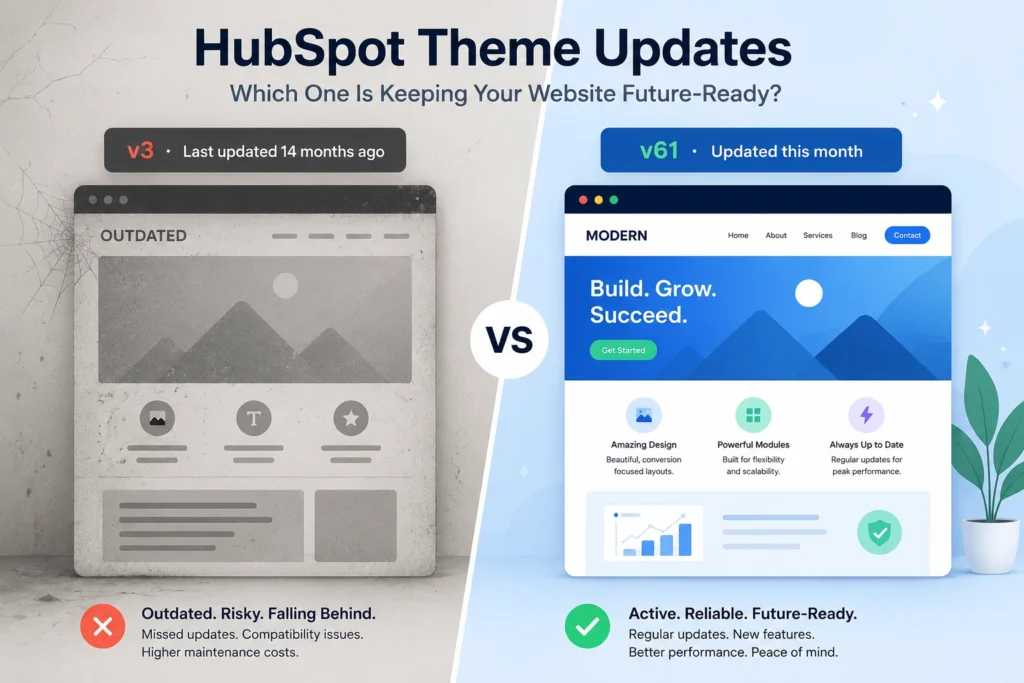
Most best HubSpot theme roundups obsess over modules, pricing tiers, and homepage aesthetics. Almost none of them ask the one question that will actually determine whether your website holds up two years from now: is anyone still shipping hubspot theme updates for this thing?
That question sounds simple. The answer reveals everything.
This guide walks you through exactly how to check in five minutes, before you spend a dollar whether a theme on the HubSpot Marketplace is actively maintained or quietly abandoned. We’ll also explain why this matters more in 2026 than it ever has before, and what a genuinely well-maintained theme actually looks like in practice.
Table of Contents
The Real Problem Nobody Mentions in the Demo
Every theme on the HubSpot Marketplace looks complete in the preview. Clean layouts, polished animations, a homepage that feels publication-ready. The demo is designed to impress you and it does.
What the demo cannot show you is what happens eighteen months from now.
HubSpot ships platform updates. Browsers change how they render CSS and JavaScript. Your business grows, and you need a feature the theme was never built to support. At that moment, one of two things is true: either the provider has been consistently releasing hubspot theme updates and your site adapts with the platform, or they moved on after launch, the listing went quiet, and you’re left either living with the gaps or paying a developer to patch around them.
This is not a rare edge case. HubSpot’s own user community has documented real situations where a theme update changed live modules and styles on production with no built-in way to preview the change before it went live. HubSpot currently does not offer a sandbox environment for testing marketplace theme updates before they hit your live site. That means the update process itself carries some risk, which makes consistent, thoughtful hubspot theme updates from a trustworthy provider even more important.
Here’s the trap most buyers fall into: a theme that stops receiving updates looks safe on the surface. Nothing breaks today. But the gap between your site and a current, modern HubSpot build quietly widens every month and by the time you notice, you’re looking at a rebuild, not a quick fix.
The real question to ask when comparing themes is not just “what does it look like?” It’s “who is responsible for keeping this current, and do they actually have a track record of doing that?”
Why Abandoned HubSpot Themes Are More Common Than You Think
A listing on the HubSpot Marketplace and an actively maintained product are two different things and the marketplace does nothing to distinguish between them.
Some themes are built, submitted, and left to generate passive revenue while the provider’s attention moves to other projects. Others are treated like software products versioned, patched, and improved on a regular release cycle because the company behind them is still genuinely in the theme business, not just the theme-selling business.
There’s no badge, no indicator, no label that tells you which category you’re looking at. The only way to know is to check. And the good news is, it only takes about five minutes.
The 5-Minute Checklist: How to Verify HubSpot Theme Updates Before You Buy
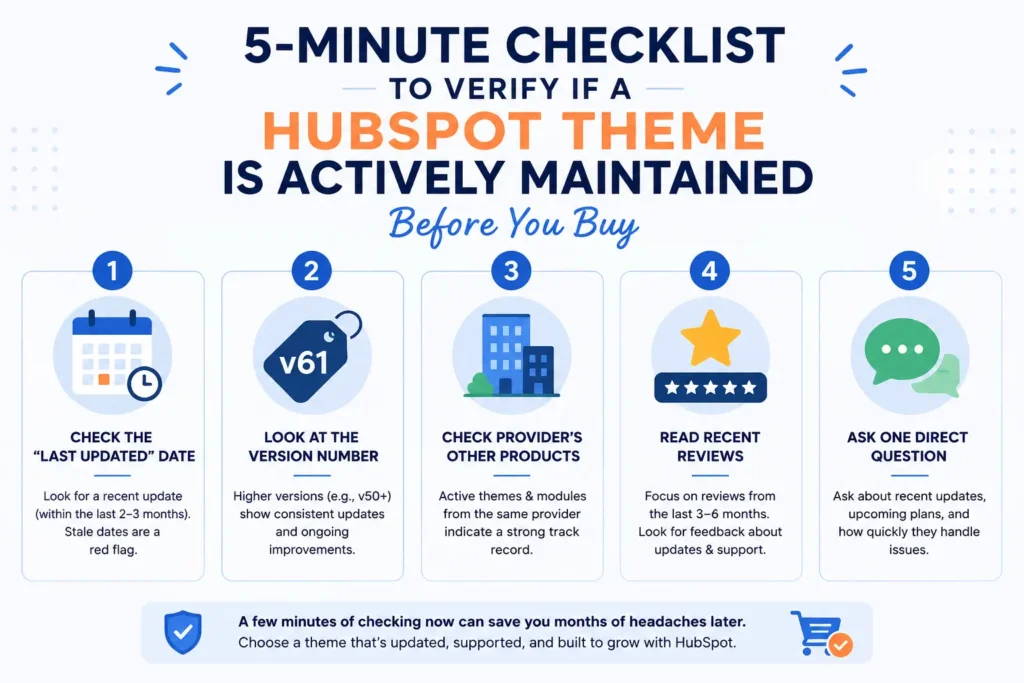
Run this on any theme listing before committing. You’ll know more in five minutes than most buyers ever find out.
1. Check the “Last Updated” Date
Every HubSpot Marketplace listing shows the date the theme was last updated. This is your first and fastest signal.
A theme updated two or three months ago is being actively worked on. A theme last touched fourteen months ago is either intentionally feature-complete which is genuinely rare or it has been effectively abandoned. Consistent hubspot theme updates show up in this date field first. If the date is stale, treat it as a warning sign, not a minor detail.
2. Look at the Version Number Not Just the Date
The version number tells you how many meaningful updates have shipped over the theme’s lifetime on the marketplace.
A theme at version 3 or 4 after two years has had a handful of patches enough to count on one hand. A theme sitting in the 50s or 60s after a similar timeframe is shipping changes consistently: new modules, compatibility fixes, improvements as HubSpot’s platform evolves. Version numbers don’t lie. They’re a direct, visible record of how seriously a provider takes ongoing hubspot theme maintenance.
3. Check Whether the Provider Has Other Active Products
A single theme with no other marketplace listings under that provider’s account carries a specific kind of risk. There’s no track record to evaluate, and when that one theme stops selling well, there’s no business incentive to keep maintaining it.
A provider running multiple actively updated themes and modules has their reputation tied to all of them. They have an ongoing relationship with HubSpot’s platform, a support structure already in place, and a real reason to make sure every product they sell including yours stays current. When evaluating a theme’s long-term viability, look at the provider, not just the product.
4. Read Recent Reviews, Not Just the Overall Rating
Star ratings accumulate over time. A theme can hold a 4.8-star average entirely on the strength of reviews from two years ago, with complete silence since.
Scroll past the aggregate score and look specifically for reviews from the past three to six months. Are people mentioning support responsiveness? Are they noting that hubspot theme updates have shipped recently and worked well? Or is there a growing pattern of unanswered questions and reported issues? Recent reviews are a live signal that the star average simply cannot capture.
5. Ask One Direct Question Before You Buy
This costs you thirty seconds and tells you more than any listing page will.
Send the provider a single message: “What’s your update cadence, and what’s included if I need help during setup?”
A provider that responds clearly, quickly, and specifically is demonstrating exactly how they’ll treat you as a customer after the sale not just before it. A provider that goes quiet, responds vaguely, or takes five days to reply to a pre-sale question is showing you something equally revealing.
Why HubSpot Theme Updates Matter More in 2026 Than Ever Before
HubSpot’s CMS platform has moved fast over the past two years. Content Hub features, AI-assisted content tools, updated drag-and-drop editor capabilities, and performance changes have shipped at a pace that’s easy to underestimate if you’re not actively building on the platform.
A theme designed for HubSpot’s 2022 or 2023 environment doesn’t automatically take advantage of any of that. It still functions technically. It just starts to look and behave like it’s from a prior era, on a platform that has visibly evolved past it.
Themes that receive regular hubspot theme updates absorb those platform changes as part of their normal release cycle. Themes that don’t simply accumulate technical debt silently, invisibly, right up until the moment it becomes a real problem.
That gap is completely invisible at the point of purchase. It only becomes visible to whoever is managing your website eighteen months later, when something feels off and they can’t immediately explain why. At that point, you’re not comparing themes anymore. You’re pricing a rebuild.
What a Consistently Maintained HubSpot Theme Actually Looks Like
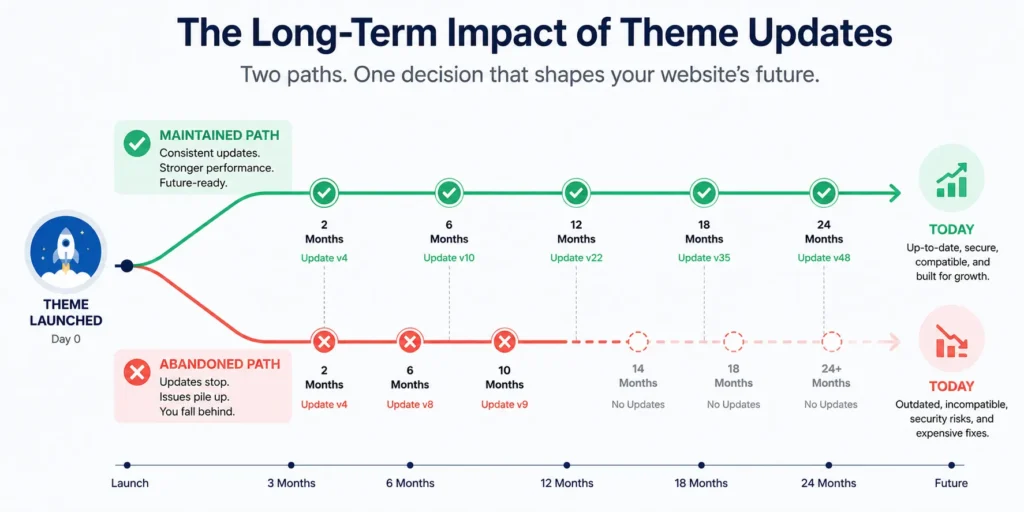
To put a concrete number to this: Siloh Pro, our structured HubSpot CMS theme, is currently on version 61. HubSpot theme updates have shipped as recently as this month not as a burst of activity at launch followed by silence, but as a sustained release cycle that tracks alongside HubSpot’s platform development.
That kind of cadence is exactly what the checklist above is designed to help you identify, regardless of which theme you’re evaluating. The criteria don’t favor any specific product they just surface whether the provider behind a theme is treating it as a living product or a finished one.
If you’re still comparing options more broadly, our 2026 comparison guide and our breakdown of what you can and can’t customize in a HubSpot theme are useful next reads. If you’re deciding between a premium marketplace theme and building from scratch, our marketplace themes guide walks through that trade-off in detail. And if you’re focused specifically on service businesses, we’ve covered that in our guide for service-based HubSpot themes as well.
5 Signs Your Current HubSpot Theme May Already Be Outdated
If you’re not shopping for a new theme but wondering about the one you’re already running, here are the signals that suggest your hubspot theme maintenance situation deserves a closer look:
1. The version number hasn’t changed in over a year.
Log into your HubSpot portal, check the theme’s version, and compare it to what’s currently listed on the marketplace. If your version and the current version are the same and the listing hasn’t been updated in 12+ months the theme has likely been abandoned.
2. New HubSpot features aren’t available in your theme.
If HubSpot has shipped new content types, editor tools, or module capabilities that your theme simply doesn’t support, that’s a compatibility gap and it will keep growing.
3. Your support requests go unanswered.
Slow or absent support from a theme provider is often a leading indicator that the product is no longer being actively maintained. The people who built it have moved on.
4. The theme looks visually dated compared to competitors.
Design trends evolve. A theme that looked fresh in 2022 can read as noticeably dated in 2026. If you’re consistently losing ground in perception against newer competitor sites, the gap may be partly your theme’s age.
5. You’ve had a developer patch around issues rather than the theme fixing them natively.
If you’ve paid for external fixes that should have been part of a routine theme update, that’s a strong sign the update pipeline has dried up.
What Happens When You Skip Regular HubSpot Theme Updates
Nothing dramatic happens on day one. That’s part of what makes this risk easy to ignore.
But over time, skipping hubspot theme updates creates compounding problems. Compatibility gaps widen between your theme and HubSpot’s evolving platform. Security patches that were supposed to ship as part of routine updates never arrive. New modules available to other sites on the platform remain unavailable to yours. And the visual and functional gap between your site and actively maintained competitors quietly grows.
Eventually, the cost of catching up exceeds the cost of staying current would have been. A few months of deferred maintenance becomes a full redesign conversation.
The sites that avoid this problem aren’t necessarily the ones with the biggest budgets or the most technical resources. They’re the ones that asked the right questions before buying and chose providers with a documented, verifiable history of shipping updates.
Frequently Asked Questions About HubSpot Theme Updates
How often should a HubSpot theme be updated?
There’s no official industry standard, but a theme with no updates in over twelve months is worth investigating. Active providers typically ship changes every one to three months routine fixes, new modules, and compatibility adjustments as HubSpot’s platform evolves. When evaluating hubspot theme updates cadence, compare version numbers across time rather than relying on the date alone.
What happens if my HubSpot theme stops getting updates?
In the short term, nothing breaks. Over time, you’ll miss compatibility fixes, new module support, and platform alignment updates. Your site will gradually lag behind sites built on actively maintained themes functionally and visually. For most businesses, the cumulative cost of inaction exceeds the cost of switching to a maintained theme well before the problem becomes obvious.
Can a HubSpot theme update break my website?
It can, particularly if you’ve made customizations directly inside the parent theme rather than through a child theme. Because HubSpot doesn’t currently provide a staging environment for previewing marketplace theme updates before they go live, most reputable providers recommend building all customizations in a child theme. This keeps your work isolated from changes to the parent, so hubspot theme updates apply cleanly without touching your modifications.
Where do I check a theme’s update history on the HubSpot Marketplace?
Every listing in the HubSpot Marketplace shows a “last updated” date and current version number in the downloads section. You can view this information before purchasing. The HubSpot Marketplace Customer FAQ also covers what the “last updated date” reflects and how theme versioning works on the platform.
Is it worth paying more for a theme from a provider with a strong update history?
In most cases, yes. The upfront price difference between a well-maintained premium theme and a cheaper, less-maintained alternative is almost always smaller than the cost of one developer engagement to fix compatibility issues or patch a broken layout after HubSpot updates their platform. Hubspot theme maintenance is an ongoing operating consideration, not a one-time purchase decision.
What should I do if my current theme hasn’t been updated in over a year?
Start by contacting the provider directly to ask about their update roadmap. If the response is absent or vague, that’s your answer. From there, your options are to migrate to an actively maintained theme, rebuild on a new foundation, or budget for developer time to maintain compatibility manually. Of these, migrating to a maintained theme typically offers the best long-term cost profile especially if you act before a platform update forces the issue. Not sure where to start? Book a 30-minute call and we can walk through your current situation.



 Blog
Blog Case Studies
 Career