
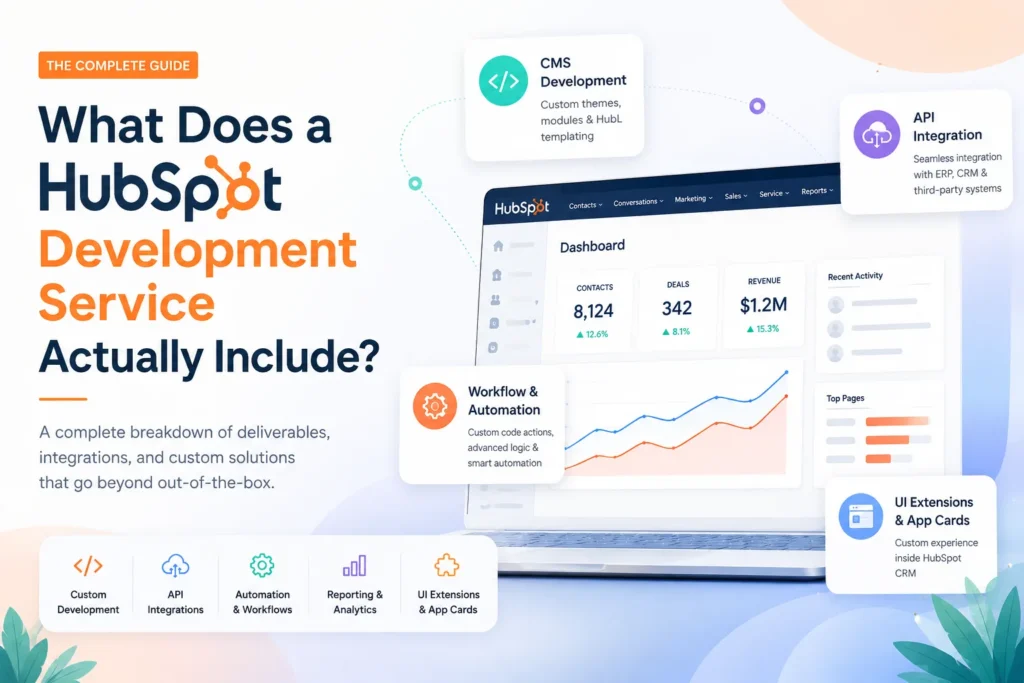
If you have ever searched for a HubSpot development service and come away more confused than when you started, you are not alone.
The term gets used loosely. Some agencies mean they can build a landing page. Others mean they can architect a complete revenue operations stack with custom API layers, serverless functions, and CRM automation that talks to your ERP in real time.
Those are very different things.
This article breaks down what a professional HubSpot development service actually covers, what separates a development partner from a regular HubSpot partner, and how to figure out what your business specifically needs before you sign any contract.
Table of Contents
Why the Confusion Exists
HubSpot is a platform with many layers. At the surface, you have the drag-and-drop tools that marketing teams use every day. Below that, there is a developer platform built on React-based UI extensions, versioned APIs, serverless functions, and an integration framework that can connect to virtually any external system.
A HubSpot development service operates at that lower layer. It handles the technical work that the standard HubSpot interface cannot do on its own, the kind of work that requires actual code.
The confusion comes from the fact that HubSpot’s out-of-the-box tools are genuinely powerful. Many businesses can run marketing, sales, and service operations without touching a single line of custom code. But the moment you need something that does not fit the default mold, you need development work. And at that point, knowing exactly what a development service covers becomes important.
The Core Deliverables of a HubSpot Development Service
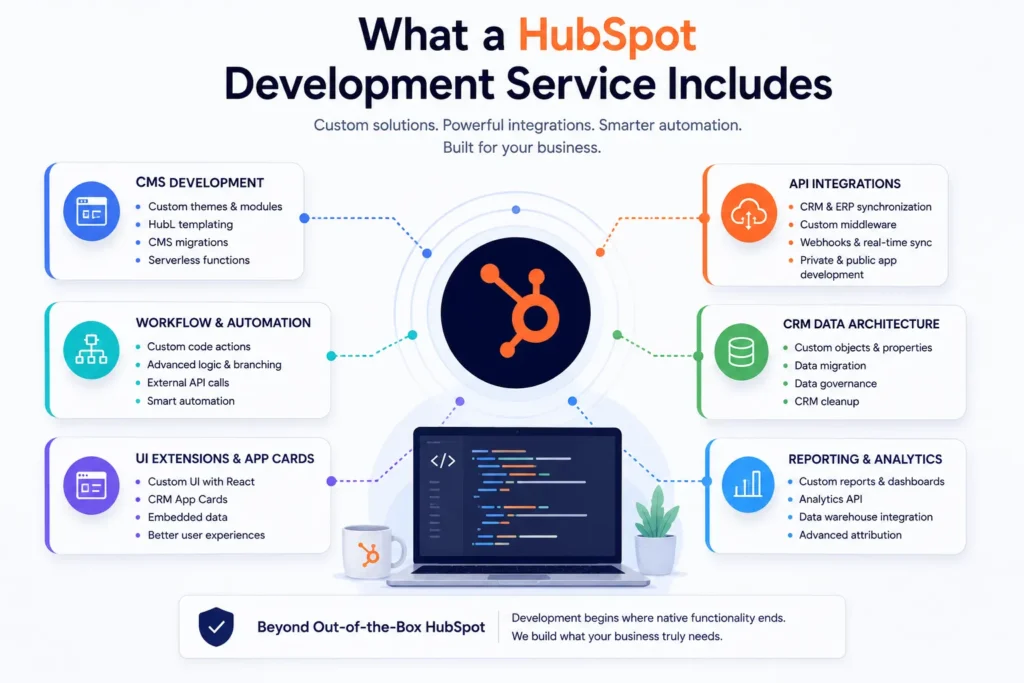
1. HubSpot CMS Development
This is often the first reason businesses look for a HubSpot developer. It covers everything that goes into building a website or web application on HubSpot’s Content Hub.
Custom theme development
Marketplace themes are a good starting point. But if your brand has specific layout requirements, complex component structures, or content patterns that a marketplace theme cannot support, a developer builds a custom theme from scratch using HubSpot’s design manager and module system.
Custom module creation
Modules are the building blocks of HubSpot pages. A development service creates reusable, editable modules that your content team can drop into pages without needing developer involvement every time. This is what makes a HubSpot website scalable rather than fragile.
HubL templating
HubL is HubSpot’s templating language. Developers use it to create dynamic page logic, conditional content rendering, personalization rules, and data-driven layouts that standard drag-and-drop tools cannot produce.
CMS migrations
Moving a website from WordPress, Webflow, Drupal, or any other CMS into HubSpot requires mapping content structures, rebuilding templates, preserving SEO signals, and testing across environments. A HubSpot development service handles all of that.
Serverless functions on HubSpot
As of the 2026.03 platform release, serverless functions are now supported within HubSpot’s developer platform. This allows developers to build backend logic directly into HubSpot apps and pages, handling things like form submissions, dynamic content fetching, and real-time data processing without relying on separate backend infrastructure.
2. HubSpot API Integration Development
This is where a HubSpot development service earns its value for most mid-market and enterprise businesses.
Native integrations cover a lot of ground. But they are built for common use cases. The moment your business has a non-standard process, a legacy system, or a specific data structure that does not match what the native connector expects, you need custom API work.
Bidirectional CRM and ERP synchronization
Syncing HubSpot with NetSuite, SAP, or Microsoft Dynamics is rarely as simple as installing a connector. A development service builds the field mappings, handles conflict resolution logic, manages sync cadence, and ensures data integrity across both systems.
Custom middleware and webhook architecture
For businesses that need real-time data flow between HubSpot and external platforms, developers build webhook receivers, middleware layers, and event-driven pipelines that process data the moment something changes.
Private app development
HubSpot’s developer platform now supports Service Keys for straightforward authentication use cases. For more complex scenarios, private apps give developers scoped API access to build integrations that interact with CRM objects, deal pipelines, contact data, and automation workflows in ways that no standard tool supports.
Public app development for the HubSpot Marketplace
Agencies and software companies that want to build apps for other HubSpot users go through a separate development process, including the App Review process and compliance with HubSpot’s current developer platform version requirements.
3. HubSpot Workflow and Automation Development
HubSpot’s workflow builder is capable of a lot. But there is a ceiling.
When you need logic that goes beyond what the visual workflow editor supports, you use custom code workflow actions. A development service writes these in JavaScript or Python, connects them to external APIs, and integrates them into your existing automation sequences.
Practical examples of what this covers:
- A workflow that fires when a deal reaches a specific stage, then pushes data to your accounting system, creates an invoice record, and updates a field in HubSpot with the invoice ID
- A lead scoring workflow that pulls in external enrichment data before updating a contact’s lifecycle stage
- A ticket escalation workflow that calculates SLA breach time based on custom logic and sends a structured notification to a Slack channel
HubSpot’s Breeze AI can now generate custom code workflow actions from natural language instructions. A development service builds on top of this capability, validating the generated code, handling edge cases, and ensuring error states are covered before anything goes near a production workflow.
4. HubSpot UI Extensions and App Cards
UI Extensions allow developers to build custom React-based interfaces that appear natively inside HubSpot. These can live on contact records, deal records, ticket records, or in custom app pages, and they can display data from external systems, trigger actions, or provide tools that HubSpot’s default interface does not include.
What this looks like in practice:
A sales team that needs to see real-time inventory data from their ERP without leaving HubSpot gets a custom app card on the deal record that pulls live stock levels. A service team that needs to view account health from a customer success platform gets a card embedded directly on the contact record. An operations team that needs to trigger specific processes gets a button inside HubSpot that fires a workflow in an external system via API.
App Cards replaced the old CRM card framework. Legacy CRM cards are being sunset on October 31, 2026. A HubSpot development service that is current with the platform will be building on the modern App Card framework, not the legacy one. If an agency is still building on the old framework, that is worth noting before you commit to a project.
5. HubSpot Data Architecture and CRM Customization
The CRM is only as useful as the data model underneath it. A development service shapes that model to fit how your business actually operates.
Custom object creation
HubSpot’s standard objects cover contacts, companies, deals, and tickets. Custom objects let you model things like subscriptions, properties, projects, or any business entity that matters to your operations. A developer designs the object schema, defines relationships, and connects the object to relevant workflows and reporting.
Custom properties and property groups
Beyond the standard fields, businesses need properties that capture the specific data points that matter to their revenue process. A development service creates these with the right field types, validation rules, and association logic.
Data migration and CRM cleanup
Moving existing records from another CRM or database into HubSpot without creating duplicates, breaking associations, or losing historical data requires careful scripting and validation. This is one of the most underestimated parts of any HubSpot engagement.
CRM data governance
This involves setting up the rules, property structures, and automation that keep data clean over time rather than just at the point of migration.
6. Reporting and Analytics Development
HubSpot’s reporting tools are solid. But there are scenarios where standard dashboards do not cover what leadership needs.
A development service can build:
- Custom report configurations using HubSpot’s Analytics API
- Data pipelines that push HubSpot data into a warehouse like BigQuery or Snowflake for advanced analysis
- Forecast integrations using the Forecast Read API, now available in beta for Sales Hub and Service Hub Professional and Enterprise accounts
- Custom attribution models that connect marketing data to revenue outcomes across multiple systems
What a HubSpot Development Service Does Not Include
This matters as much as knowing what is included.
A HubSpot development service is not the same as HubSpot consulting or HubSpot implementation. Consulting focuses on strategy, process design, and change management. Implementation handles configuration, onboarding, and training within the bounds of HubSpot’s standard tools.
Development is specifically about building things that do not exist yet, or extending HubSpot in ways that require code.
Some agencies do all three. Many do not. When evaluating a HubSpot development service, it is worth asking directly whether they handle the consulting and implementation layers as well, or whether you will need a separate partner for those parts of the engagement.
How to Know What Kind of Development Work You Actually Need
Before reaching out to a HubSpot development agency, it helps to have a working sense of what you are trying to build. Ask yourself a few questions:
Does the problem exist at the CMS layer or the data layer?
Website and page-related problems are CMS development problems. Data flow, automation logic, and system integration problems are API and workflow development problems.
Are you trying to connect HubSpot to another system?
If yes, you need integration development. The complexity level depends on the other system, the data volume, and how real-time the sync needs to be.
Are you trying to build something your team can manage without developers going forward?
If yes, the development work needs to produce modular, documented, and maintainable outputs. This is a question worth asking explicitly before work begins.
How complex is the logic you need?
Simple automations and page layouts are one thing. Multi-system integrations with error handling, retry logic, and monitoring are another. Make sure the agency you work with has experience at the level of complexity your project requires.
What the HubSpot Developer Platform Looks Like in 2026
One thing worth knowing if you are evaluating development partners right now: HubSpot’s developer platform has gone through meaningful changes in 2026.
The platform introduced date-based API versioning in March 2026, with a new release every six months and an 18-month support window per version. This makes integration development more predictable and significantly reduces the risk that a custom build breaks because of an unexpected platform update.
Serverless functions are back as a first-class capability in the 2026.03 platform version. Developers can run backend logic inside HubSpot projects without relying on external hosting, which simplifies the architecture for certain integration and CMS use cases.
Legacy CRM cards are being retired on October 31, 2026. A competent HubSpot development agency will already be building on App Cards and the modern UI extension framework.
An agency that is not current with these changes is a risk. The work they deliver today may require significant rebuilding sooner than expected.
What to Look for in a HubSpot Development Service
There is no shortage of agencies claiming HubSpot development expertise. The differentiators that actually matter are:
Platform currency
Do they know the current developer platform? Can they speak to the differences between the 2025.2 and 2026.03 platform versions and why it matters for your project?
Integration depth
Have they built custom integrations at the ERP or middleware level, not just simple connector-style setups?
Documentation and handoff standards
What do you own after the engagement? Are the custom modules, API endpoints, and workflow logic documented well enough for someone else to maintain?
Post-launch support model
HubSpot development is rarely a one-time project. As the platform evolves and your business needs change, you need a development partner who can stay engaged over time, not just hand off the work and disappear.
Final Thoughts
A HubSpot development service covers a broad range of technical work, from custom CMS builds and theme development to API integrations, workflow automation, UI extensions, and CRM data architecture.
What makes it different from general HubSpot services is that it operates at the code level. It handles the things that marketing teams, operations managers, and even most HubSpot admins cannot do inside the platform interface.
If you are at the point where HubSpot’s default tools are no longer enough for what your business needs, that is usually a signal that development work is the right next step. The more clearly you can define the gap between what HubSpot does today and what you need it to do, the better positioned you will be to find the right HubSpot development service for the job.


 Blog
Blog Case Studies
 Career