
Table of Contents
Ask five different sales reps to explain the difference between HubSpot Sequences and Playbooks, and you’ll usually get five slightly different answers, and at least two of them will be wrong. Both tools sit inside Sales Hub, both show up during onboarding in the same week, and both get lumped together under the general banner of “sales automation.” That’s exactly why so many teams misuse one or the other, expecting a Playbook to send emails, or trying to force a Sequence to handle a live discovery call.
They’re not interchangeable, and they’re not automating the same part of the sales process. This guide breaks down exactly what HubSpot Sequences and Playbooks each actually do, where the real automation lives in each one, and the specific myths that cause teams to set them up wrong from the start.
Quick Answer
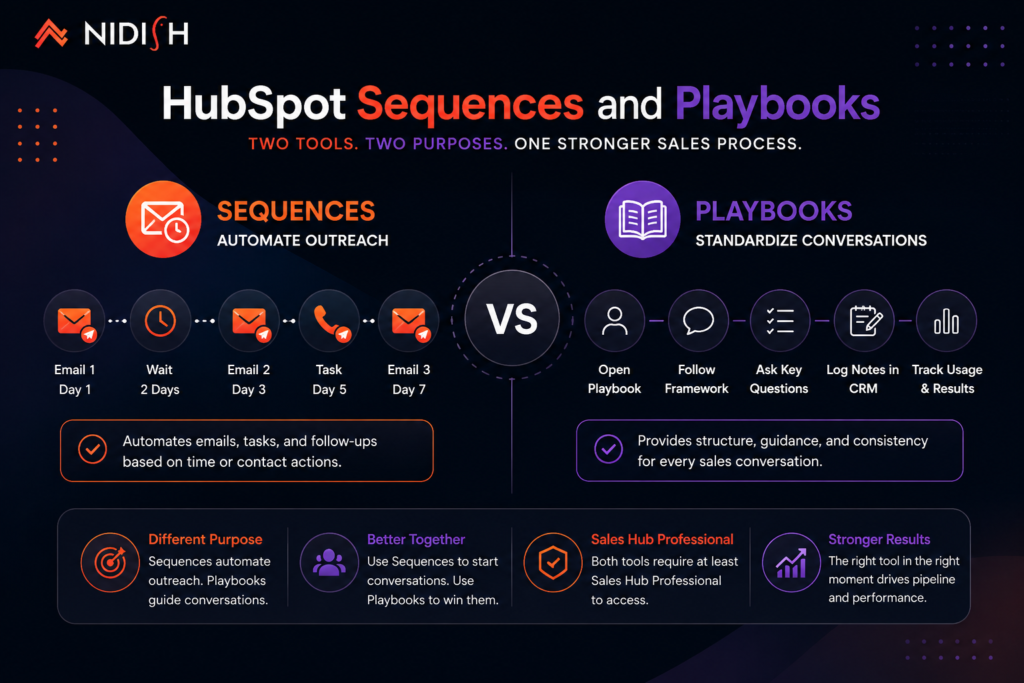
HubSpot Sequences automate the timing and sending of a preset series of emails and tasks, following up with a prospect on a schedule without a rep manually triggering each step. HubSpot Playbooks don’t automate outreach at all, they’re structured, interactive guides that standardize how a rep runs a live conversation, a discovery call, a demo, an objection-handling scenario, while tracking usage and effectiveness behind the scenes. Sequences automate what happens between conversations. Playbooks standardize what happens during them. Both require at least a Sales Hub Professional plan to access.
What Do HubSpot Sequences Actually Automate?
Sequences are the more straightforward of the two, and also the one most people already have a rough mental model for, even if the details are fuzzy.
A Sequence lets a rep build a preset series of personalized emails and tasks, enrolling a contact once and letting the system handle timing and delivery from there, automatically sending each email on schedule and creating reminder tasks for anything that needs a human touch, like a phone call step. The rep doesn’t have to remember to send email three on day five, the Sequence handles that entirely on its own.
What actually gets automated here is specific: the scheduling and sending of emails, the creation of follow-up tasks, and, in more advanced setups, automatic enrollment or removal from a Sequence based on contact behavior, a reply, a meeting booked, a specific page visited. HubSpot’s own reporting on this feature area is direct about the payoff, with 63% of users reporting they save at least four hours a week per rep using automation features like task queues, sequences, and email templates.
What a Sequence does not automate is judgment. It doesn’t decide what to say, it executes what a rep already decided to say, on the schedule the rep already decided on. The strategy still has to exist before the automation has anything useful to execute.
What Do HubSpot Playbooks Actually Automate?
This is where the confusion usually starts, because Playbooks get filed under “sales automation” in HubSpot’s own navigation, and that label oversells what they actually do.
Playbooks provide a structured, interactive resource that guides a rep through a specific sales scenario, a discovery call framework, a demo script, an objection-handling guide, organized by deal stage, customer segment, or use case. A rep opens the relevant Playbook during a live call and follows a structured set of questions, talking points, or decision branches, often logging notes directly into the CRM record as they go.
Here’s the honest distinction most comparisons skip: Playbooks don’t send anything, schedule anything, or execute any action on their own. They’re not automation in the sense that Sequences are. What they actually do is standardize and enforce consistency, every rep runs the same discovery call with the same key questions, instead of each rep improvising their own version. Teams that adopt Playbooks are able to build unlimited resource libraries with content organized by deal stage or use case, while tracking usage and effectiveness through detailed analytics, which is the real value, visibility into whether the standardized process is actually being followed and whether it’s working.
Calling that “automation” is a stretch. It’s closer to operational infrastructure, the thing that makes a sales process repeatable and measurable, rather than something that executes tasks without a human in the loop.
Sequences vs Playbooks: What’s the Actual Difference?
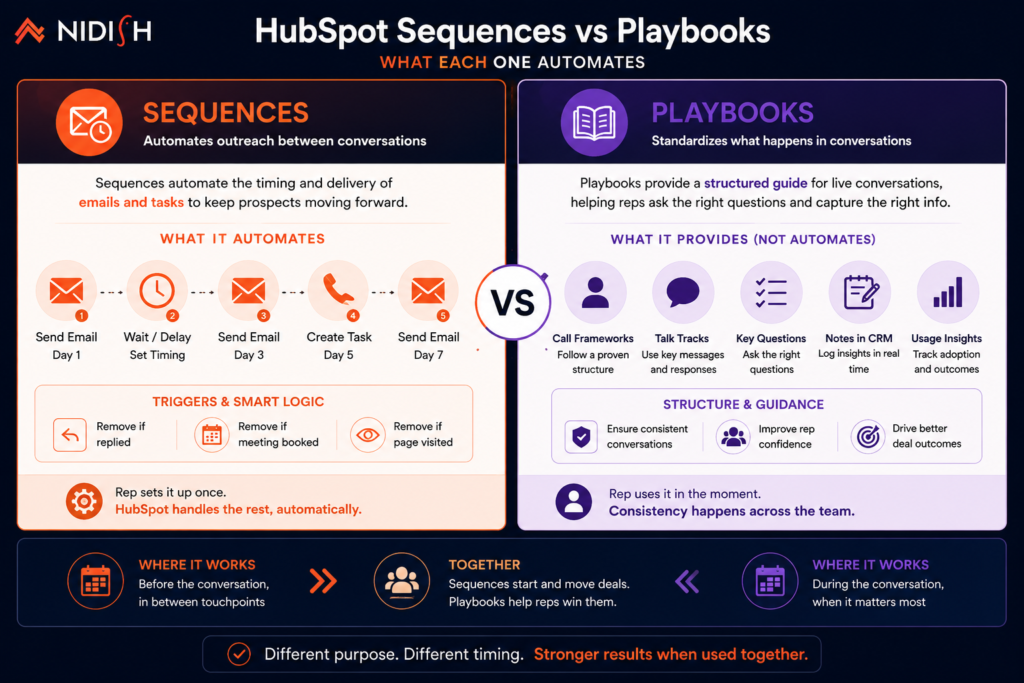
The cleanest way to separate these two tools is by where each one lives in the sales process.
Sequences operate asynchronously and between conversations. A rep sets one up, enrolls a contact, and the system runs on its own timeline, sending emails and creating tasks whether or not the rep is actively thinking about that contact at that moment.
Playbooks operate synchronously and during conversations. They only add value while a rep is actively engaged with a prospect, on a call, in a demo, working through an objection in real time. Nothing happens automatically; the value comes from consistency and structure in the moment, not from unattended execution.
Put simply: if the question is “what happens automatically while I’m not paying attention,” that’s a Sequence question. If the question is “how do we make sure every rep handles this conversation the same way,” that’s a Playbook question.
Five Myths That Cause Costly Mix-Ups
Myth 1: Playbooks automate outreach the way Sequences do
They don’t. A Playbook won’t send a single email or create a single task on its own. Teams that set up a Playbook expecting it to handle follow-up cadence end up with no automated outreach at all, because that was never what the tool does.
Myth 2: More Sequences automatically mean better results
Piling on Sequences without a clear strategy behind each one tends to produce noisy, generic outreach rather than better outreach. The tools work well specifically when there’s a defined strategy behind them, not as a substitute for having one.
Myth 3: Sequences replace the need for personalization
A Sequence automates delivery, not message quality. A poorly written, generic Sequence just gets ignored faster and at greater scale than a poorly written one-off email would.
Myth 4: Playbooks are just static documents, so building them is a one-time task
The real value comes from the usage tracking and effectiveness analytics behind them, which means Playbooks need to be revisited and refined based on what the data shows is actually working, not built once and forgotten.
Myth 5: You need Enterprise to get meaningful use out of either tool
Both Sequences and Playbooks become available starting at Sales Hub Professional, not Enterprise. Enterprise adds scale, more playbooks, deeper permissions, workflow-triggered sequences, but the core functionality of both tools is available a full tier below that.
Which Sales Hub Plan Do You Actually Need?
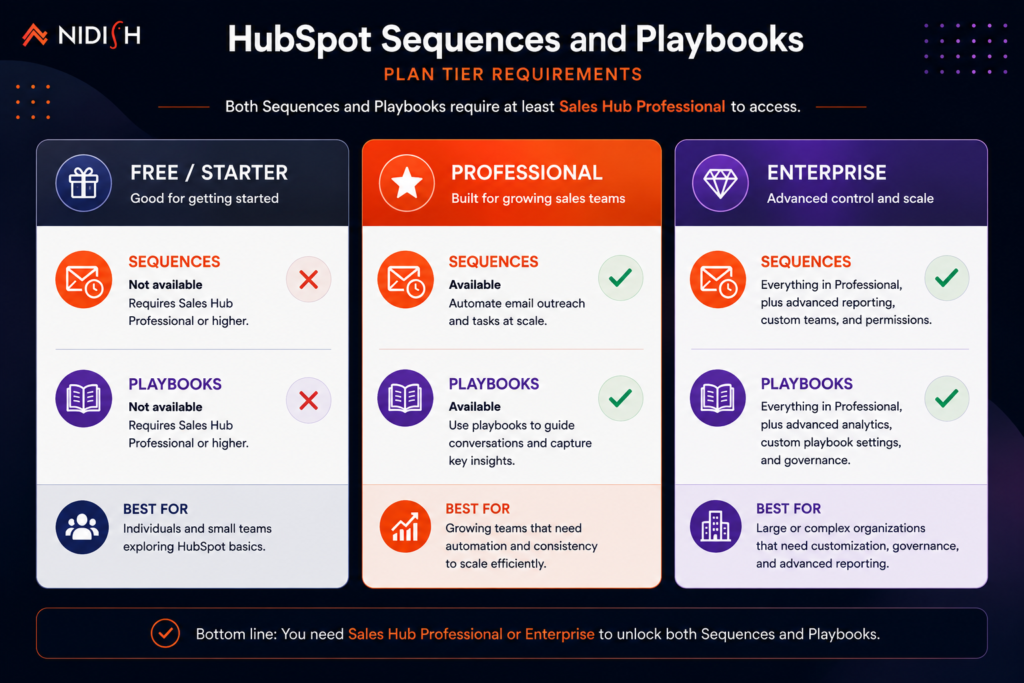
Understanding the tier structure matters here because both tools are gated behind the same plan level, which changes the cost conversation significantly compared to Sales Hub’s free or Starter tiers.
Free and Starter: cover basic CRM functionality, email tracking, meeting scheduling, and simple stage-based automation, task creation and notifications when deals move through the pipeline. Neither Sequences nor Playbooks are available at this level.
Professional: priced around $100 per seat per month plus a mandatory one-time onboarding fee, is where both tools unlock. This tier adds email Sequences, workflow automation, A/B testing, forecasting, custom reporting, and Playbooks, along with 1:1 video messaging that can integrate with Sequences for automated video follow-ups.
Enterprise: priced higher with a larger onboarding fee, extends both tools significantly, up to 5,000 Playbooks and the ability to trigger Sequences directly via workflows, along with predictive lead scoring, custom objects, and deeper forecasting across team hierarchies.
For most growing sales teams, Professional is where the real decision point sits, since it’s the tier where both Sequences and Playbooks first become available, not a nice-to-have reserved for the largest accounts.
How to Use Sequences and Playbooks Together
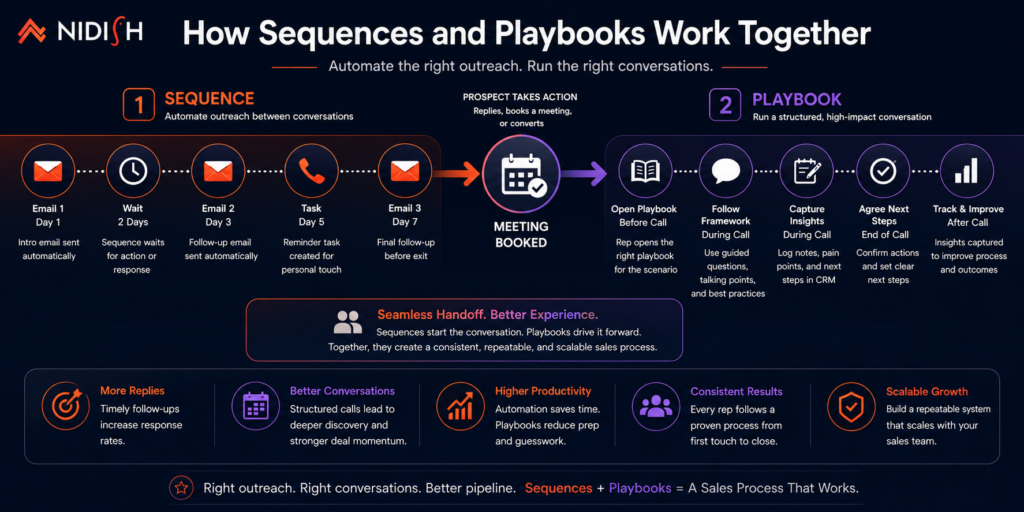
The teams that get the most value out of Sales Hub don’t treat these as competing tools, they use each one for the part of the process it’s actually built for.
A typical setup uses Sequences to handle the outbound cadence, the scheduled emails and task reminders that keep a prospect warm between conversations. Then, once a call is booked, a Playbook takes over for the live conversation itself, a discovery call framework or objection-handling guide that keeps the conversation structured and gets logged directly into the CRM record.
Handled this way, the two tools cover two genuinely different failure points in a sales process: deals going cold because follow-up got forgotten, and deals underperforming because reps ran inconsistent, unstructured conversations. Neither tool fixes the other’s failure point, which is exactly why using only one of them tends to leave a real gap.
Common Mistakes to Avoid
- Building Sequences before defining a real outreach strategy: The automation executes whatever strategy exists, a rushed, undefined one just gets executed faster and at scale.
- Treating Playbooks as a one-time setup task: Without revisiting usage analytics regularly, Playbooks quietly go stale while the actual sales conversations evolve past them.
- Assuming Playbooks handle follow-up: This is the single most common source of confusion, and it leaves a real automation gap in the sales process if nobody notices.
- Overloading Sequences with too many steps: Long, generic Sequences tend to perform worse than shorter, more targeted ones built around a specific segment or scenario.
- Not connecting Playbook usage back to deal outcomes: Tracking whether a Playbook is used is only half the picture, connecting that usage to actual close rates is what tells you whether the standardized process is actually working.
How Nidish Can Help
We help sales teams set up Sequences and Playbooks as a genuinely connected system, not two disconnected features turned on during onboarding and left alone. That means building outreach cadences around an actual defined strategy and structuring Playbooks around the specific conversations your team has most often, then tying both back to reporting that shows what’s actually working. If your team is earlier in the decision process entirely, our guide on why your business needs a CRM covers that foundational question, and our HubSpot implementation services page covers how we scope a full Sales Hub rollout. If you’re also weighing HubSpot against other platforms for your sales team specifically, our HubSpot vs Salesforce comparison is a useful next read.
Frequently Asked Questions
What’s the main difference between HubSpot Sequences and Playbooks?
Sequences automate the scheduling and sending of a series of emails and follow-up tasks between conversations. Playbooks are structured guides used during live conversations to standardize how reps run calls and demos. Sequences run automatically without a rep present; Playbooks require a rep actively using them in real time.
Do Playbooks send emails automatically?
No. Playbooks don’t send emails, create tasks, or execute any action automatically. They’re guides a rep follows during a live conversation, not an automation tool in the same sense as Sequences.
What HubSpot plan do I need for Sequences and Playbooks?
Both tools require at least Sales Hub Professional. Neither is available on the Free or Starter plans, and Enterprise mainly extends scale and permissions rather than unlocking the core functionality itself.
Can Sequences and Playbooks be used together?
Yes, and this is generally the most effective setup. Sequences handle the automated outreach cadence between conversations, while Playbooks structure the live conversations that happen once a prospect responds or a call gets booked.
Do Sequences replace the need for personalized outreach?
No. Sequences automate delivery and timing, not message quality or relevance. A generic Sequence still produces generic results, just faster and at greater scale.


 Blog
Blog Case Studies
 Career