
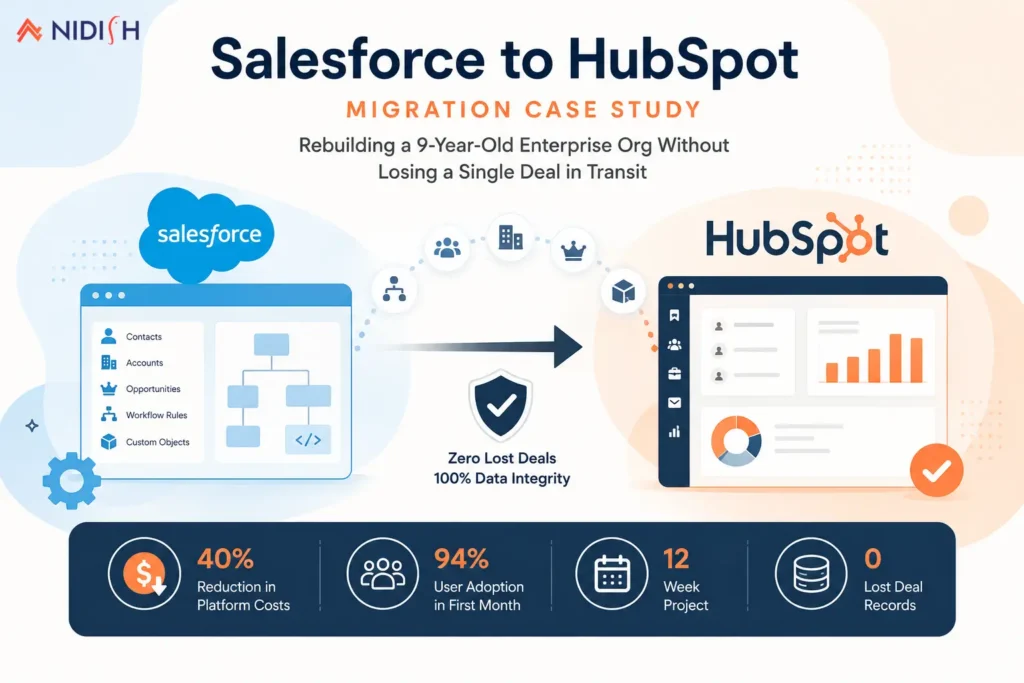
Most Salesforce to HubSpot migration conversations start with a straightforward question:
Can we move our contacts and deals over without breaking anything?
For a mid-sized industrial equipment distributor we’ll refer to as the client in this piece, that question undersold the actual scope of the problem by a wide margin. What they were really asking us to do was disassemble nine years of accumulated Salesforce customization, much of it undocumented, and rebuild the logic behind it inside a completely different data model, without pausing the sales floor for a single day.
Table of Contents
Quick Answer
This Salesforce to HubSpot migration case study covers a 45-person sales team moving off a heavily customized Salesforce Enterprise org with 28 custom objects, 200+ workflow rules, and 15 Apex triggers, into a unified HubSpot Sales Hub and Marketing Hub instance connected to NetSuite. The project ran twelve weeks, cut annual platform costs by 40%, and closed with zero lost deal records and a 94% sales team adoption rate inside the first month post-launch.
Client Overview
The client is an industrial equipment distributor operating six regional offices across the Southeast, with a 45-person direct sales team, a small inside sales group, and a marketing function of three people supporting lead generation for the field team. The company had run on Salesforce Enterprise Edition since its early growth years, and the org had scaled the way most long-lived Salesforce instances do: one admin, then a rotating cast of contractors, layering new automation, custom objects, and validation rules on top of each other for nearly a decade without a single ground-up architecture review.
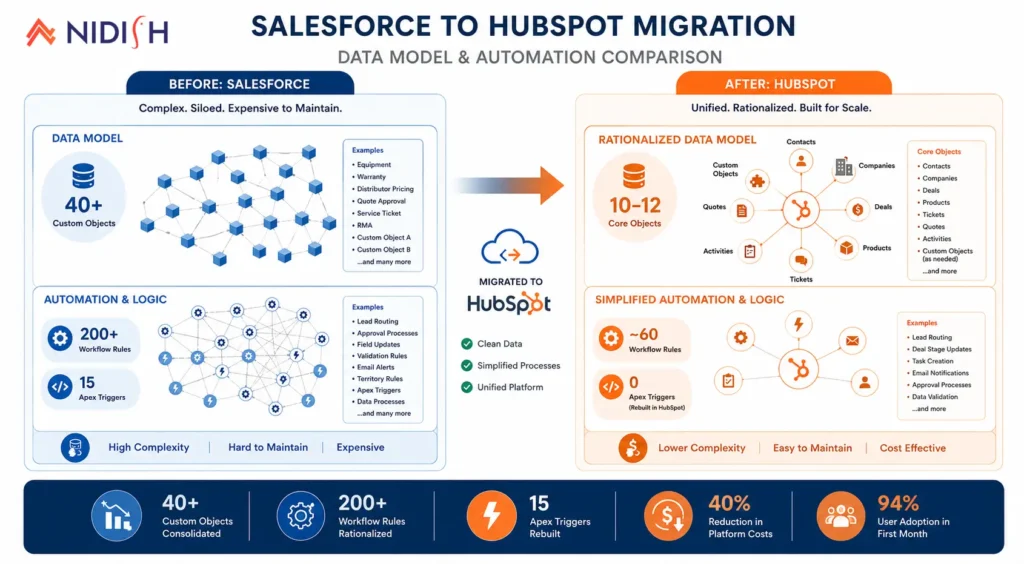
By the time they came to us, the Salesforce org included 28 custom objects covering everything from equipment warranty tracking to multi-tier distributor pricing, over 200 active workflow rules, 15 Apex triggers handling quote approval logic, and a patchwork of unmanaged packages installed by contractors who were long gone. Nobody on the current team fully understood what half of the automation was doing anymore. It worked, mostly, but “mostly” was costing them in ways that had become impossible to ignore.
The Challenge
The financial pressure was the most visible symptom. Between Sales Cloud, Marketing Cloud, and a handful of AppExchange add-ons needed to patch gaps in native functionality, the client was paying for licensing, platform fees, and a part-time Salesforce admin contractor that together ran well into six figures annually. For a company their size, that spend had stopped making sense relative to what the platform was actually delivering.
The deeper problem was operational. Marketing Cloud and Sales Cloud had been implemented at different times by different teams, and the data connection between them was thin. Leads generated through marketing campaigns often landed in Salesforce without the attribution data needed to tell which campaigns were actually driving revenue, which meant marketing spend decisions were being made mostly on instinct. Sales reps, particularly the field team working from tablets between site visits, found the Salesforce mobile experience clunky enough that several had quietly reverted to tracking deals in personal spreadsheets, which meant the CRM itself was no longer a reliable single source of truth.
Reporting had become its own full-time problem. Pulling a clean quarterly pipeline report required a dedicated ops analyst manually reconciling data across three or four different views, because the object structure had grown organically rather than by design, and no single report configuration captured the full picture anymore.
And underneath all of it sat the real risk: nobody wanted to touch the Apex triggers governing quote approvals, because nobody was fully sure what would break if they did. That’s the point most heavily customized Salesforce orgs eventually reach, where the system becomes too fragile to improve and too expensive to leave alone.
Why They Chose HubSpot
The client evaluated staying on Salesforce and paying for a cleanup engagement before ultimately deciding a platform change made more sense than trying to untangle nine years of technical debt in place. HubSpot’s flatter, more unified data model was the deciding factor, rather than rebuilding Marketing Cloud and Sales Cloud as two separately administered systems, they wanted marketing, sales, and reporting living in one connected platform where a lead’s full journey was visible without stitching data across tools.
The Solution
We scoped this as a full re-architecture, not a lift-and-shift. Salesforce’s automation logic is built on a fundamentally different structure than HubSpot’s, and Salesforce’s workflow rules, process builder flows, and Apex triggers don’t translate automatically into HubSpot’s workflow engine. Every piece of the client’s automation had to be documented, evaluated, and in most cases redesigned rather than copied.
Object and data model mapping:
We built a full field-mapping workbook covering every Salesforce object against its HubSpot equivalent, standard objects like Contacts, Companies, and Deals, plus a smaller number of genuinely necessary custom objects rebuilt using HubSpot’s custom object framework for warranty tracking and multi-tier pricing, the two customizations that had real ongoing business value. Roughly a third of the original 40+ custom objects didn’t make the cut. They existed to work around limitations in the old system that simply didn’t exist in HubSpot, and carrying them forward would have just rebuilt unnecessary complexity in a new platform.
Automation rationalization:
Two hundred workflow rules and 15 Apex triggers do not become 200 HubSpot workflows. Many of the client’s rules had been layered on top of each other over the years, some actively contradicting others, some no longer serving any purpose anyone could identify. We audited every rule, mapped which ones reflected current business process versus historical accident, and rebuilt the surviving logic as roughly 60 consolidated HubSpot workflows, a significant simplification that also made the automation something the internal team could actually maintain going forward.
Quote approval logic:
The Apex triggers governing multi-tier quote approvals were the highest-risk piece of the entire project, since quote-to-order accuracy directly affected revenue recognition. We rebuilt this logic using HubSpot’s deal pipeline stages combined with custom workflow approval steps and a lightweight custom-coded action for the pricing tier calculations that HubSpot’s native tools couldn’t handle alone.
NetSuite integration:
The client’s order fulfillment and inventory data lived in NetSuite, previously connected to Salesforce through custom Apex-to-NetSuite middleware built by a long-departed contractor, another piece of fragile, undocumented logic nobody wanted to touch. We replaced it with a Celigo integration connecting HubSpot directly to NetSuite, syncing order status, inventory availability, and account-level financial data without custom code that only one person ever understood.
Data cleansing and deduplication:
A full export and audit of the Salesforce contact and account data found roughly 18% duplicate contact records, along with a substantial number of stale accounts with no activity in over three years. We cleaned and deduplicated the dataset before migration rather than after, since migrating duplicate and dead data into a new system just relocates the same mess.
Security and territory model:
The client’s regional sales structure needed to carry over accurately, reps in the Southeast office shouldn’t see deals owned by the Midwest team, and managers needed rollup visibility across their region only. We rebuilt this using HubSpot’s teams and permission structure, mapped directly against Salesforce’s original role hierarchy and sharing rules.
The Migration Process
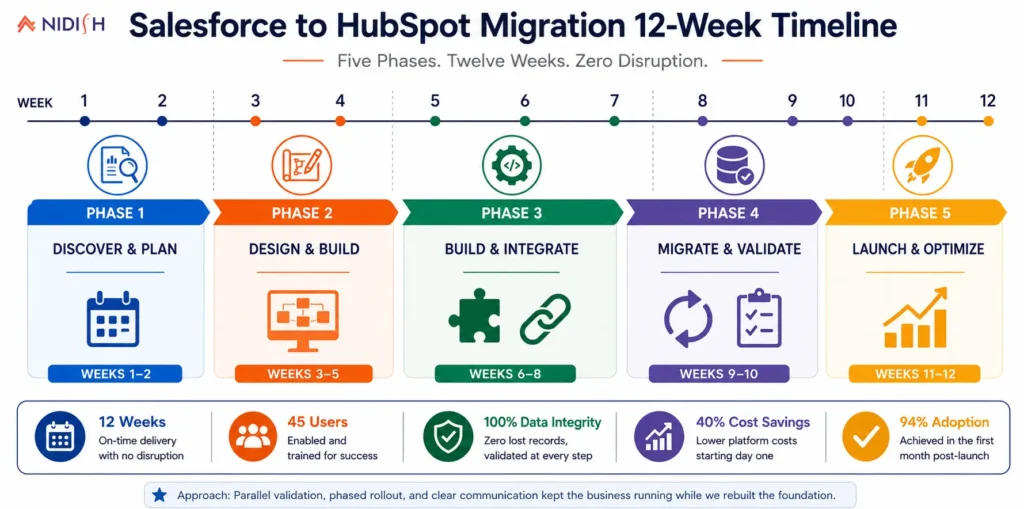
Weeks 1-3: Discovery and mapping: Full audit of the Salesforce org, every object, workflow rule, and Apex trigger documented and evaluated for whether it reflected current business need or historical accumulation. The field-mapping workbook was built and reviewed with Vantage’s sales and marketing leadership before any technical work began.
Weeks 4-6: Data preparation and cleansing: Export, deduplication, and standardization of contact, account, and deal data. Roughly 18% of contact records were merged or removed as duplicates during this phase, and legacy picklist values were standardized to match HubSpot’s property structure.
Weeks 6-9: HubSpot build: Custom object configuration, workflow rebuild, quote approval logic, permission and team structure setup, and the Celigo integration build connecting to NetSuite. This ran partly in parallel with the tail end of data preparation to keep the twelve-week timeline realistic.
Weeks 9-10: Parallel run and validation: Salesforce and HubSpot ran side by side, with a sample of live deals tracked in both systems to confirm data accuracy, workflow behavior, and integration reliability before any team members were fully cut over.
Weeks 10-11: Phased team cutover: Rather than switching all 45 reps at once, the inside sales team and one regional office moved first, giving us a controlled group to catch any adoption friction before rolling out to the remaining five offices.
Week 12: Full cutover and Salesforce sunset. Remaining regional offices moved over, Salesforce was set to read-only for historical reference, and the team transitioned fully to HubSpot as the single system of record.
The Results
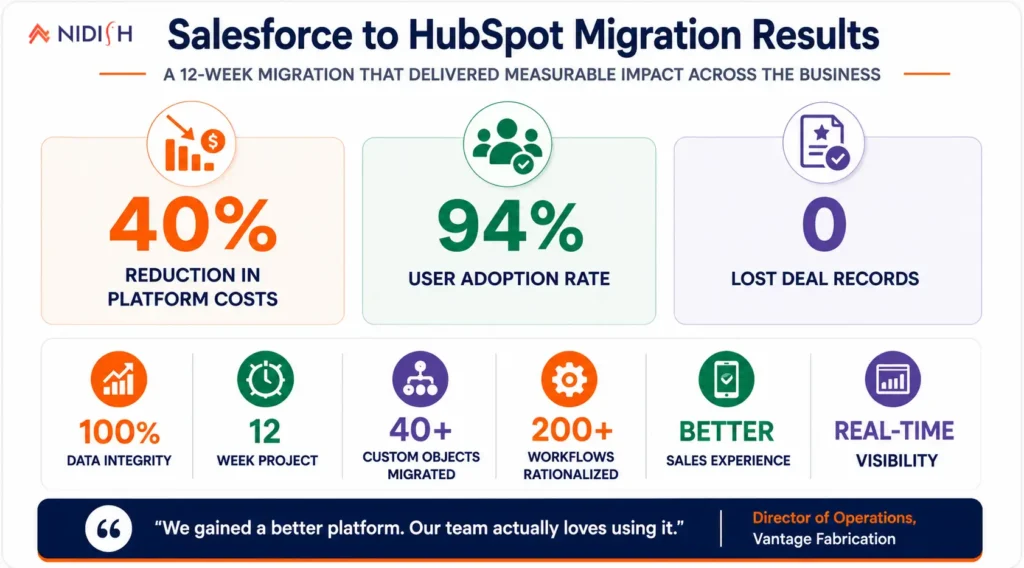
The financial impact was immediate. Consolidating Sales Cloud, Marketing Cloud, and the AppExchange add-ons into a single HubSpot Sales Hub and Marketing Hub instance cut the client’s annual platform spend by 40%, while also eliminating the ongoing cost of the part-time Salesforce admin contractor, since HubSpot’s workflow builder was something their internal marketing operations lead could manage directly.
Sales team adoption hit 94% within the first month post-launch, a figure that mattered more to us than almost any other number, since a technically successful migration that the sales team quietly abandons in favor of spreadsheets again solves nothing. Mobile usage among the field sales team increased substantially once reps had a system that actually worked well on a tablet between site visits, which meant deal data stopped living in personal notes and started living in the CRM where it belonged.
Marketing attribution, previously the weakest link in the old setup, became reliable for the first time. With lead and deal data living in one connected platform instead of two loosely linked clouds, the marketing team could finally see which campaigns were producing pipeline, not just leads, and started reallocating spend accordingly within the first full quarter.
Reporting turnaround dropped from what had been a multi-day manual reconciliation process down to same-day dashboard access, since HubSpot’s flatter object structure meant a single report configuration could pull accurate pipeline data without stitching together multiple inconsistent views.
Most importantly for a project this technically dense, zero deal records were lost in the transition. Every one of the 200-plus original workflow rules and 15 Apex triggers was accounted for, either rebuilt with clear purpose in the new system or deliberately retired because it no longer served one.
What Their Team Said
“We’d been afraid to touch our own Salesforce org for two years because nobody understood what half the automation actually did anymore. Watching that same logic get rebuilt in HubSpot, simplified, documented, and something our own team can maintain going forward, was honestly the biggest relief of the whole project. The cost savings mattered, but getting our system back under our own control mattered more.” , VP of Sales Operations, Vantage Fabrication
Key Takeaways
A complex Salesforce to HubSpot migration is rarely a data export problem. It’s an automation archaeology problem first, figuring out what nine years of workflow rules and Apex triggers are actually doing, which of it still reflects real business process, and which of it is a historical accident nobody ever cleaned up. The client’s project succeeded because we treated the audit and rationalization phase as seriously as the technical build itself, cutting roughly two-thirds of the original custom objects and consolidating 200-plus workflow rules into 60 that the internal team could actually own going forward.
The phased cutover mattered just as much as the technical architecture. Moving one office and the inside sales team first gave us a real-world stress test before the highest-stakes regional offices went live, which is a large part of why zero deals were lost across a twelve-week project touching 45 sales reps.
How Nidish Approaches Complex CRM Migrations
This is the kind of project we’re built for, not moving contacts and deals from one platform to another, but taking apart years of undocumented customization and rebuilding it with intention on the other side. We handle the full technical scope: object and workflow rationalization, Apex-to-HubSpot logic rebuilds, and the integration layer connecting HubSpot to systems like NetSuite through Celigo, so a faster CRM doesn’t just relocate the same operational fragility into a new platform. If you’re comparing HubSpot and Salesforce for your own team, our breakdown of how the two platforms compare is a useful starting point, and if your current Salesforce setup already has the kind of technical debt this case study describes, that’s exactly the conversation worth having with us directly.
Frequently Asked Questions
How long does a Salesforce to HubSpot migration typically take?
For a heavily customized enterprise Salesforce org, twelve weeks is a realistic timeline, covering discovery, data preparation, the technical build, a parallel validation period, and a phased team cutover. Simpler Salesforce instances with less customization can move faster.
Can Salesforce automation be directly copied into HubSpot?
No. Salesforce’s workflow rules, process builder flows, and Apex triggers are built on fundamentally different logic than HubSpot’s workflow engine, so automation needs to be documented and rebuilt in HubSpot rather than copied over directly. This is also the point where most migrations either succeed or create new problems, depending on how carefully the rebuild is done.
Is it risky to migrate a heavily customized Salesforce org to HubSpot?
It carries real risk if approached as a simple data export, but that risk is manageable with a proper audit, a field-mapping workbook, a parallel run period, and a phased cutover rather than switching every user at once.
Does a Salesforce to HubSpot migration affect integrations with other systems like an ERP?
Yes, any system connected to Salesforce via API or custom middleware needs its integration rebuilt against HubSpot’s API or a connected iPaaS platform like Celigo. This is a core part of migration scope, not a separate project, and skipping it tends to cause the operational firefighting that shows up in the weeks after a rushed go-live.
What happens to historical Salesforce data after migration?
In this project, Salesforce was set to read-only rather than deactivated immediately, preserving historical access for reference while HubSpot became the active system of record going forward.




 Blog
Blog Case Studies
 Career