
HubSpot is updating its look for every user on August 31. Most people are asking about the new interface. The question worth asking is different: while you’re paying attention to HubSpot for the first time in months, what is your actual website running on?
Table of Contents
Quick Answer
The August 31 update only changes HubSpot’s portal interface, the dashboard your team logs into, not your live website. But it’s a useful trigger to check something separate: whether your site is still running on HubSpot’s default theme, the generic starter theme every Content Hub account ships with. If you launched on it and never revisited that decision, this is the moment to find out.
HubSpot is making a platform-wide change this August, and it affects every customer on every plan. If you’ve logged into your portal recently, you may have already seen the prompt to try it early. What’s changing is the HubSpot interface itself, the dashboard, the menus, the editor views, getting a cleaner, more modern visual overhaul before it becomes mandatory on August 31. Your HubSpot default theme, the one your website is actually built on, is a separate question, and it’s one far fewer people are asking.
That’s the gap this post addresses.
What Is Actually Changing on August 31?
To be clear about what HubSpot has announced: the August 31 change is a redesign of HubSpot’s portal interface, the platform your team logs into every day. Lighter feel, improved typography, cleaner spacing, and a more readable layout across every hub. HubSpot describes the update as the first step in a longer design evolution, with AI surfacing priorities and next steps more prominently as the rollout continues.
Critically, nothing about how HubSpot functions is changing. Your contacts, workflows, automation, and CRM data are untouched. Navigation stays where it is. The update is purely visual, same HubSpot, new coat of paint.
What’s also confirmed is that HubSpot AI can now directly create, edit, and publish landing pages from within your portal, including modifying copy, adjusting sections, and managing form embeds, with an explicit confirmation step before anything goes live. So the platform is becoming simultaneously easier to look at and more capable of touching your content automatically.
This is the moment to ask: what does your website sit on top of?
Why HubSpot Is Investing in This Redesign Now
It’s worth understanding the direction HubSpot is moving in, because it explains why the default theme question matters more than it used to. HubSpot has been fairly open that this visual refresh isn’t just cosmetic, it’s the groundwork for AI tools that surface priorities, suggest next steps, and eventually take direct action inside your account. A cleaner interface is easier to layer AI recommendations on top of.
The same logic applies to your website’s theme, just one level down. As HubSpot AI becomes more capable of directly editing pages, the underlying structure of whatever theme is rendering those pages starts to matter in a new way. A theme with clearly defined content zones and consistent module behavior gives those AI tools a predictable surface to work with. A generic, loosely structured theme does not.
What the HubSpot Default Theme Actually Is
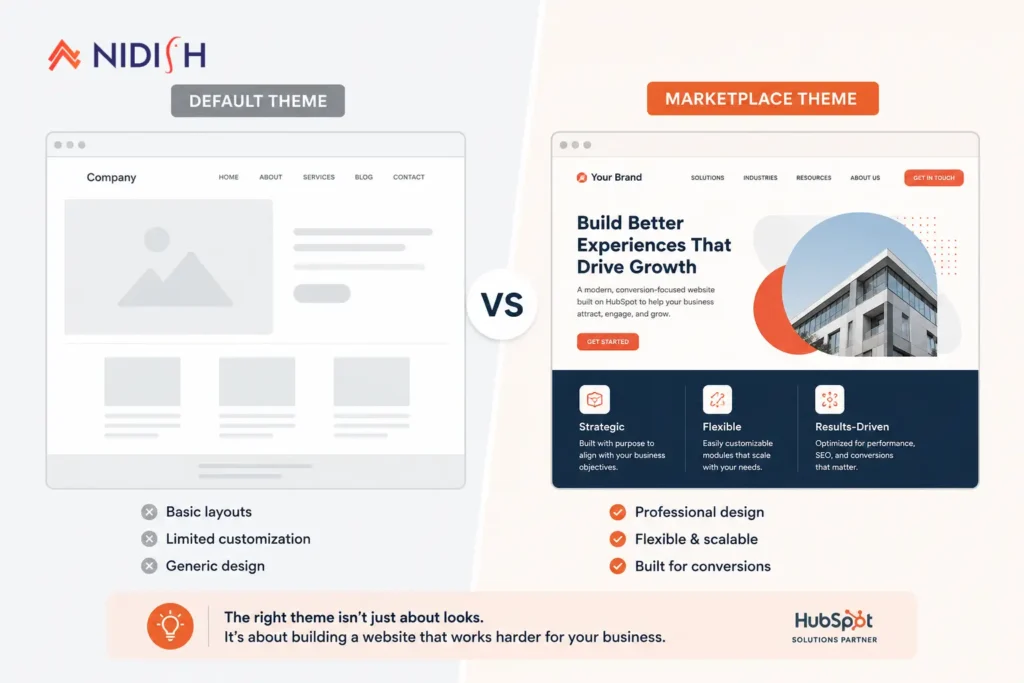
When you set up a HubSpot Content Hub account, your website doesn’t start from nothing. Every account comes with HubSpot’s default CMS theme, a built-in set of page templates, modules, and global style settings that lets you get a site live quickly, without purchasing or installing anything from the marketplace.
It does what it’s designed to do: it gets you started.
The catch is that “getting started” and “building a long-term business website” are not the same objective, and Content Hub’s default theme wasn’t built for the second one. It was built for speed and accessibility, low barriers, sensible defaults, no configuration overhead. That’s genuinely useful at the beginning. It becomes a ceiling as you grow.
Structurally, the default HubSpot theme uses a fairly shallow module set and a limited global style framework compared to what a purpose-built marketplace theme ships with. That’s not a flaw exactly, it’s a design choice aimed at universal compatibility over depth. But it means the theme was never meant to carry the weight of a mature, content-heavy site.
Many businesses launched on the default HubSpot theme and simply never revisited the decision. They added pages, published blog content, and built campaigns, all on top of a foundation that was never evaluated against what they actually need their website to do today.
How to Tell If You Are Still on HubSpot’s Default Theme
This check takes under two minutes. In your HubSpot portal:
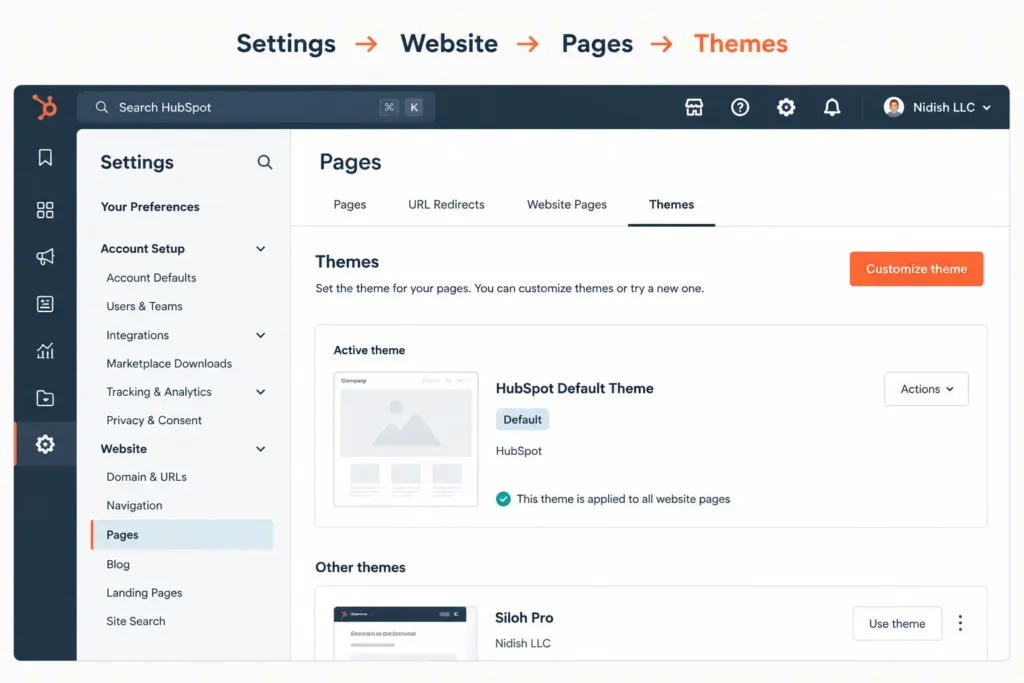
If the theme applied to your site pages is listed as “HubSpot Default Theme” or the generic starter theme that came pre-loaded with your account, you are on it. If you’ve intentionally installed a theme from the Asset Marketplace or a third-party provider, you’re not, but the rest of this piece still applies if that theme hasn’t been updated recently. We covered how to verify that in Is Your HubSpot Theme Still Maintained?
A few other quick signals worth checking alongside the Themes setting:
- Your pages look visually similar to other HubSpot sites you’ve seen, generic layouts, standard hero sections, familiar spacing
- Your team frequently needs a developer to make small layout changes
- You’ve never selected or purchased a theme, the site simply “came this way”
- Page sections feel limited compared to what your sales or marketing team wants to build
If two or more of these sound familiar, it’s worth doing the two-minute check above to confirm.
Four Ceilings You Hit on the HubSpot Default Theme
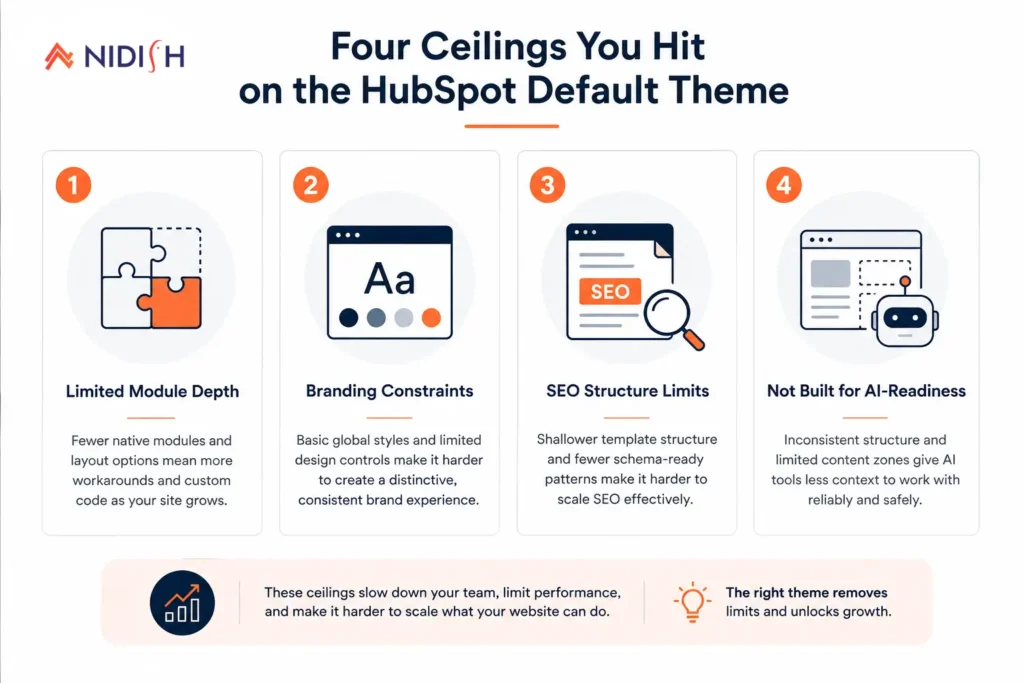
HubSpot’s default theme was built to be universally usable, which means it was built to be universally generic. That trade-off shows up in four specific places as a business scales:
1. Module depth. The default theme ships with a limited set of modules. As your pages become more complex, services sections, comparison layouts, trust blocks, interactive CTAs, you run out of native options and start building workarounds in the editor that create inconsistency across pages.
2. Brand differentiation. Every business that starts on HubSpot’s default CMS theme and doesn’t customize it significantly ends up with a site that has the same structural fingerprints as thousands of others. Experienced buyers recognize it. It doesn’t hurt you in year one. It becomes a quiet credibility problem as your deal sizes grow.
3. SEO structure. The default theme’s blog and landing page templates work. They are not optimized. Heading hierarchy, schema readiness, meta control at the module level, and structured content blocks for featured snippets, these are areas where purpose-built premium themes invest specifically, and where the default theme leaves you doing manual compensations in each piece of content.
4. AI-ready architecture. With HubSpot AI now able to edit and publish pages directly, the structure of your theme matters more than it did when all edits were manual. A well-structured theme with defined content zones, clean module separation, and governed style settings gives AI tools cleaner surfaces to work with. A loosely built default theme creates more opportunity for AI edits to produce inconsistent output.
When to Upgrade from the HubSpot Default Theme
Not every business needs to make a change immediately. If your site has low traffic, your conversion goals are simple, and you are still in early-growth mode, the default HubSpot theme is not actively harming you.
The right moment to move to a HubSpot marketplace theme is when any of the following becomes true:
- You are running multiple campaigns and the pages are starting to look inconsistent. Without a real module library, every landing page ends up slightly different, built by whoever had time that week rather than a consistent system.
- Your sales team is sending prospects to the website and you’re embarrassed by how it compares to competitors. This is usually the moment that actually triggers a decision, not an internal audit, but a rep mentioning it after a lost deal.
- You’ve tried to add a module or page section and realized the default theme can’t support it cleanly. That’s the ceiling showing up directly, not in theory.
- You want a developer to stop touching the site and hand it to your marketing team to manage. A well-built marketplace theme is designed for exactly this handoff.
- You are about to invest in SEO or content marketing and want a structurally sound foundation first. Building content on top of a weak template means redoing SEO work later once you eventually switch themes anyway.
This is also a fair moment to consider whether you want a premium theme at all versus a fully custom build. We wrote the decision framework for that in White Label HubSpot Theme: Build vs License, it’s worth reading before you go to the marketplace.
Is It Time to Move Off the HubSpot Default Theme?
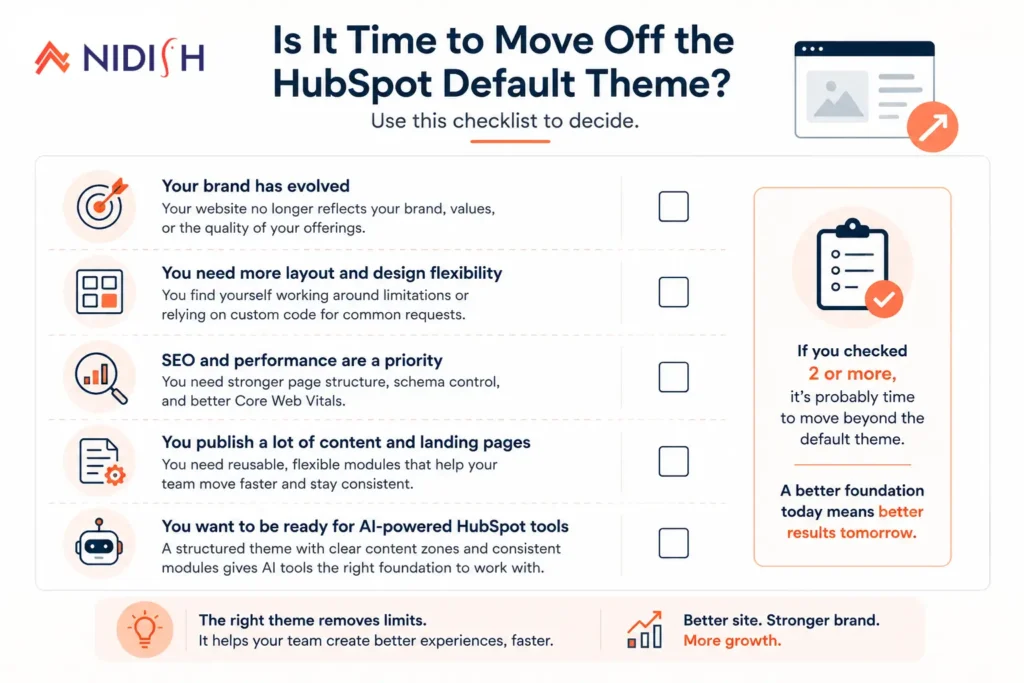
If you’re still unsure after the checklist above, it usually comes down to one question: is your website actively helping you close business, or is it something you quietly hope nobody looks at too closely? A default theme that was fine for a five-page starter site rarely stays fine once a business is running paid campaigns, publishing regular content, and sending qualified prospects to compare you against competitors who invested in their site.
There’s no penalty for waiting if your situation genuinely hasn’t changed. But most businesses on the default theme aren’t in that position, they’ve simply never had a reason to stop and check, until something like this update gives them one.
What a Maintained Marketplace Theme Gives You Instead
A premium HubSpot marketplace theme from an active publisher does several things the default theme does not.
It ships with a wider, more purposeful module library, conversion-focused layouts, trust and social proof sections, structured service and pricing pages, designed specifically for the content types B2B and e-commerce businesses actually need.
It is regularly updated as HubSpot’s platform evolves. Siloh Pro is currently at version 61 with updates shipping this month. Commerce Craft is maintained on the same cadence. That matters because HubSpot keeps changing, the August 31 update is one example, but platform changes happen on a rolling basis, and a maintained theme absorbs them. A stale default or abandoned marketplace theme does not.
It puts your marketing team in control without requiring a developer for every edit. That’s the practical benefit of a structured, well-documented theme: the team that runs your campaigns can also manage the website, because the editing experience was designed for them.
For a full comparison of what’s available, Best HubSpot Themes 2026 and Best HubSpot Themes for Service Businesses cover the landscape in detail. If you want to know specifically what Siloh Pro and Commerce Craft include, book a 30-minute call and we’ll walk you through it.
Frequently Asked Questions
Does the HubSpot August 31 change affect my website?
No. The August 31 update is a redesign of the HubSpot portal interface, the admin dashboard your team uses, not the website your visitors see. Your live website will look exactly the same on September 1 as it does today. What changes is how your team navigates HubSpot internally.
What is the HubSpot default theme and should I keep using it?
The HubSpot default theme is the built-in CMS theme included with every Content Hub account. It’s designed for quick setup, not long-term scale. Whether you should stay on it depends on your goals, if your website is a primary sales and marketing channel, you’ve likely already hit the ceiling. If it’s a placeholder while your business gets started, it serves that purpose well.
How do I know if my HubSpot site is using the default theme?
Go to Settings → Website → Pages → Themes inside your HubSpot portal. The active theme for your site pages will be listed there. If it shows HubSpot’s default, you’re on it.
Can I switch from the HubSpot default theme without breaking my existing pages?
Yes, but it requires a migration process, your existing pages will need to be rebuilt or mapped to the new theme’s templates. It’s not automatic. Most businesses do this in batches: key pages first, then blog templates, then secondary pages. We covered this process in HubSpot Theme Customization Limits.
What’s the difference between a default HubSpot theme and a marketplace theme?
The default HubSpot theme is the starter included with your account. A premium HubSpot marketplace theme is a purpose-built product from a third-party publisher, available through HubSpot’s Asset Marketplace, with a wider module library, specific design intent (B2B, e-commerce, professional services), and, if you choose the right publisher, an active update cadence that tracks alongside HubSpot’s platform development.
Will switching away from the HubSpot default theme affect my SEO rankings?
Not if the migration is handled carefully. The risk isn’t the theme switch itself, it’s skipped redirects, lost metadata, or altered URL structure during the move. A properly planned migration preserves rankings while giving you a stronger structural foundation going forward.
Is now a good time to switch themes?
The August 31 portal update is a practical trigger to audit your entire HubSpot setup, not because the portal change itself forces a decision, but because it brings attention to the platform at a natural moment. If the audit reveals your website has been sitting on the HubSpot default theme since launch without a deliberate review, that’s the real finding worth acting on.


 Blog
Blog Case Studies
 Career