
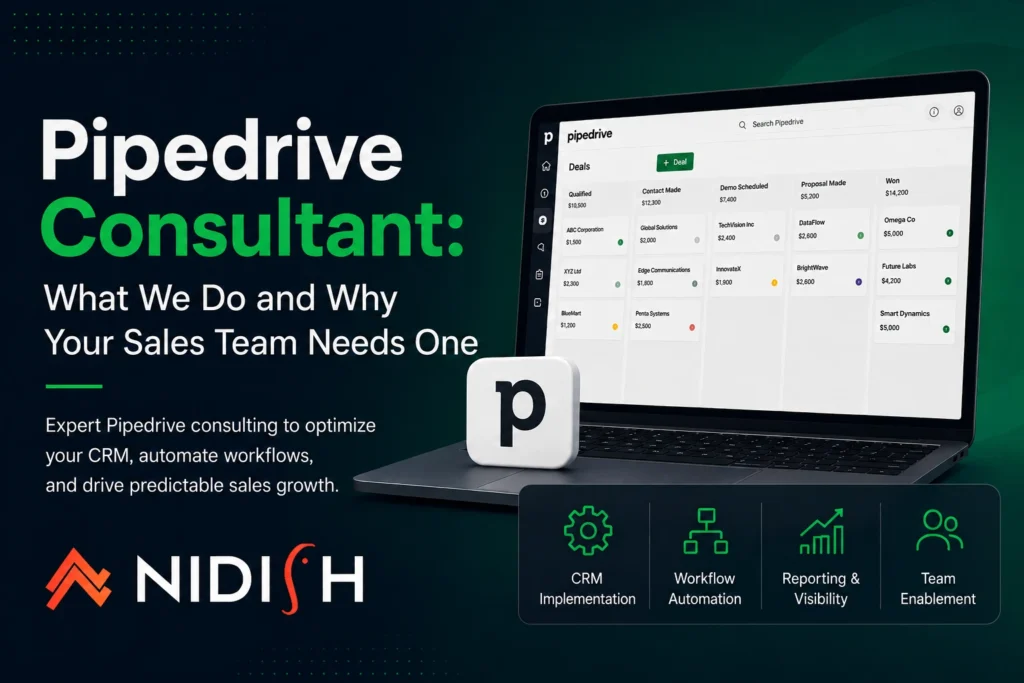
Your team is using Pipedrive, but something isn’t working. Deals keep stalling in the same stage. Automations aren’t firing as expected. Your pipeline report looks fine on the surface but doesn’t reflect what’s happening in the field.
This is exactly the situation a Pipedrive consultant gets called in to fix — not because the platform is broken, but because the setup never matched how your team actually sells.
Pipedrive is one of the most intuitive CRMs on the market. However, intuitive doesn’t mean plug-and-play. Without a structured implementation, clean data model, and properly configured automations, even strong sales teams end up working around their CRM instead of through it. That’s where professional Pipedrive consulting services make the difference.
This guide covers what a Pipedrive consultant does, when your business needs one, and how to choose the right partner.
Table of Contents
What a Pipedrive Consultant Actually Does
The right expert is not just someone who knows the platform. A Pipedrive consultant understands sales processes deeply enough to translate your team’s workflow into a CRM that supports how your business actually operates — not just how the default setup looks out of the box.
In practice, these engagements cover a wide range of services:
| Service Area | What It Involves |
| CRM Implementation | Setting up Pipedrive from scratch: pipelines, stages, custom fields, user roles, and permissions |
| Data Migration | Moving contacts, deals, and history from Salesforce, HubSpot, Zoho, or spreadsheets |
| Workflow Automation | Building automation rules, email sequences, activity reminders, and deal rotation logic |
| Integration Setup | Connecting Pipedrive to Gmail, Outlook, Slack, NetSuite, QuickBooks, or LinkedIn |
| Reporting & Forecasting | Configuring dashboards so managers have accurate, real-time pipeline visibility |
| Team Training | Structured onboarding so reps adopt the system from day one, not weeks later |
| Ongoing Optimization | Quarterly reviews to refine the setup as your sales process evolves |
The scope depends on where your team is starting. A greenfield implementation looks very different from a rescue project where Pipedrive has been live for a year but is barely being used.
When Do You Actually Need a Pipedrive Consultant?
Not every business needs external help, but there are clear signals that bringing in a specialist will pay for itself quickly.
You’re implementing Pipedrive for the first time
The decisions made in the first few weeks — pipeline structure, custom field architecture, user permissions — are hard to undo cleanly later. Getting the foundation right prevents a rebuild six months in.
You’re migrating from another CRM.
Moving data from Salesforce, HubSpot, or Zoho is not just an export-and-import exercise. Field mapping, data cleansing, and pipeline logic all need careful planning. Our Pipedrive migration guide covers this in detail.
Your team has Pipedrive but usage is inconsistent.
When some reps log every activity and others don’t log at all, the issue is usually the setup — not the people. An audit identifies what’s creating friction and fixes it.
Your automations aren’t working as expected.
Automation logic in Pipedrive is powerful but has specific constraints around triggers, conditions, and timing. Getting it right requires hands-on experience.
You need integrations beyond what native apps provide.
For complex syncs — like connecting Pipedrive to NetSuite or building a custom API integration — you need someone who has done it before. See our Pipedrive NetSuite case study for a real example.
Problems a Pipedrive Consultant Is Called In to Solve
After working across dozens of Pipedrive implementations, the same issues surface repeatedly. An experienced consultant has seen all of them — and knows exactly how to resolve them.
Pipelines That Don’t Reflect the Real Sales Process
Most teams map CRM stages directly to an internal process document written years ago. A good setup starts by understanding how deals actually move — what triggers progression, what causes stalls, and where deals die — and builds stages around that reality. Our guide on why Pipedrive leads in sales automation covers how pipeline design connects to sales performance.
Custom Fields That Have Grown Out of Control
Unmanaged Pipedrive accounts accumulate custom fields quickly. Reps stop filling them in because there are too many, and data quality drops across the board. The fix is a field audit — removing what isn’t being used, consolidating where possible, and maintaining a clean data model going forward.
Automations That Fire at the Wrong Time
Pipedrive automation runs on a trigger-condition-action model. Small mistakes in condition logic — especially around deal stage changes and activity completion — cause sequences to misfire or skip contacts entirely. Reviewing and rebuilding automation logic is one of the most common parts of any consulting engagement.
No Reliable Visibility Into the Pipeline
If a sales manager can’t trust the pipeline report, forecasting becomes guesswork. The solution is usually a combination of enforced required fields at key stage transitions and restructured reporting dashboards — not a more complex report.
Pipedrive Partner vs. Generic CRM Consultant
There’s an important distinction between a certified Pipedrive partner and a generalist CRM consultant who happens to know the platform.
Official Pipedrive partners have met certification requirements, demonstrated client success, and maintain a direct relationship with Pipedrive’s partner program. Working with an accredited Pipedrive partner means:
- Direct access to Pipedrive’s support and product teams when edge cases arise
- A team that has completed Pipedrive’s official training and certification
- Verified experience across multiple implementations, not one or two
- In some cases, better licensing options for your team
When evaluating providers, always ask whether they are an official Pipedrive partner — not just a user of the platform. The distinction matters most for complex migrations from enterprise systems like Salesforce, or when custom integrations are in scope.
For businesses also evaluating HubSpot, our HubSpot vs Salesforce comparison is a useful reference if the platform decision isn’t final yet.
How to Choose the Right Pipedrive Consulting Partner
The right partner asks questions before presenting solutions. If they’re quoting scope before understanding your sales process, that’s a red flag.
| What to Evaluate | Why It Matters |
| Are they a certified Pipedrive partner? | Formal training, platform access, and verified experience |
| Have they worked in your industry? | Industry-specific pipeline logic and integrations vary significantly |
| Do they audit before they build? | A discovery phase prevents building the wrong thing faster |
| Can they handle the integrations you need? | Not all consultants have technical integration experience |
| What does post-go-live support look like? | Issues always surface after launch — ongoing support is non-negotiable |
| Is team training included? | Adoption depends on how well reps are onboarded to the new system |
A credible partner is also upfront about timelines. A basic setup for a small team might take two to three weeks. A full implementation with data migration, automation build, and integration setup typically takes six to ten weeks. Anyone promising a complete enterprise setup in a few days is skipping steps that will cost you later.
What a Typical Engagement Looks Like
While every project is shaped by specific needs, most engagements follow a similar structure:
- Discovery (1–2 weeks): Understanding your sales process, current tools, team structure, and pain points.
- Design (1 week): Pipeline architecture, field mapping, automation logic, and integration plan.
- Build (2–3 weeks): Configuring Pipedrive, building automations, connecting integrations.
- Testing (1 week): Running deals through the pipeline, verifying automations, checking integration syncs.
- Training and go-live (1–2 weeks): Onboarding the team and fine-tuning based on real usage.
- Ongoing support: Monthly or quarterly reviews to refine the setup as the team and process evolve.
Final Thoughts
Pipedrive is one of the best CRMs for sales-focused teams — but only when the implementation matches how your team sells. An off-the-shelf setup gets you started. A properly configured system, built by an experienced Pipedrive consultant, drives adoption, clean data, and forecasting you can actually trust.
Whether you’re starting fresh, rescuing a live setup that isn’t performing, or migrating from another platform, the right partner brings both the platform expertise and the sales process knowledge to make it work. If you’re ready to get your setup right, reach out to our team — we’re a certified Pipedrive partner and we’ll start by understanding your business before touching your CRM.



 Blog
Blog Case Studies
 Career