
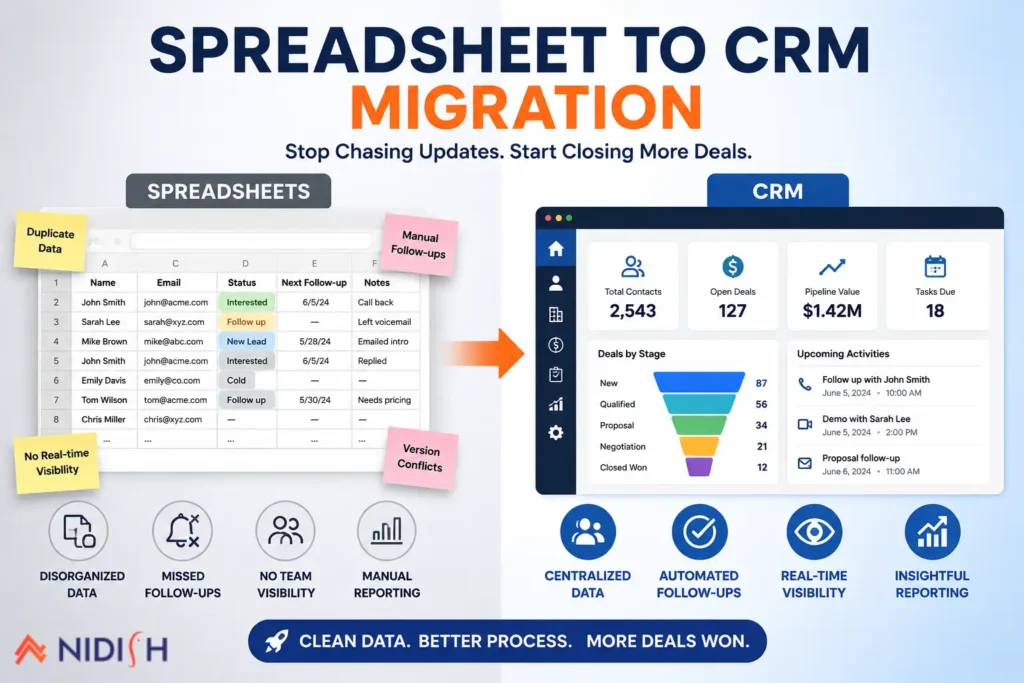
At some point, every growing business has the same spreadsheet. Rows of contacts, a column for “status” that means five different things depending on who filled it in, and at least one tab nobody’s touched since March. It works, until it doesn’t. A spreadsheet to CRM migration usually isn’t a decision businesses make eagerly. It’s a decision they make after the fourth missed follow-up in a month, or the third time two reps email the same lead within an hour of each other.
This guide skips the sales pitch version of that story and gets into the actual mechanics: how to know you’ve outgrown spreadsheets, how to prepare your data so the move doesn’t create new chaos, what the migration process really looks like, and the mistakes that turn a straightforward switch into a six-month headache.
Table of Contents
Quick Answer
A spreadsheet to CRM migration means moving your contacts, deals, and follow-up history out of spreadsheets and into a dedicated CRM system that tracks relationships, automates reminders, and gives your team one shared, always-current view of every customer. The process usually takes one to four weeks for a small team, and the biggest risk isn’t the software, it’s migrating messy, duplicate, or undefined data into a new system and expecting it to somehow fix itself.
How Do You Know It’s Time to Move From Spreadsheets to a CRM?
Spreadsheets aren’t inherently bad. They’re flexible, familiar, and free. The problem is what happens as a business grows past the size a spreadsheet was ever meant to handle. A few signs tend to show up in a fairly predictable order.
Multiple people are editing the same sheet
Once more than one or two people touch a spreadsheet regularly, version conflicts start. Someone overwrites someone else’s update. Someone opens an outdated copy and works from it for a week without realizing it.
Follow-ups depend on memory, not the system
A spreadsheet doesn’t remind anyone to do anything. If a rep doesn’t manually check a “next follow-up” column, that follow-up simply doesn’t happen.
Nobody fully trusts the data anymore
Once a team has been burned by duplicate entries, missing updates, or a lead that “fell off” the sheet, they start double-checking everything manually, which defeats the purpose of tracking it centrally in the first place.
Reporting takes real effort
Pulling a pipeline summary or a monthly close rate means somebody manually filtering, sorting, and often cross-referencing two or three different tabs by hand.
The sheet has become its own small bureaucracy
Color-coded cells, a tab for “hot leads,” a separate tab for “cold leads that might come back,” a running note at the bottom nobody’s sure is still accurate. This is usually the clearest sign a business has quietly built a CRM’s worth of complexity without CRM functionality.
If two or more of these sound familiar, a spreadsheet to CRM migration probably isn’t premature. It’s overdue.
Why Spreadsheets Break Down as You Grow
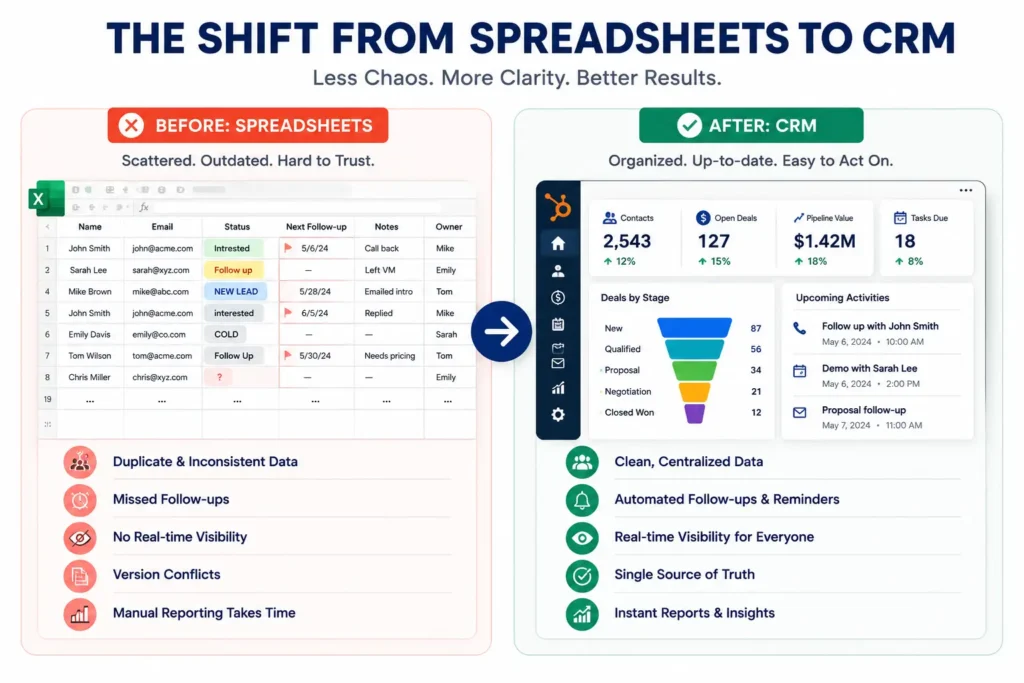
It’s worth being specific about why this happens, because it’s not really a spreadsheet failure, it’s a mismatch between the tool and the job.
Spreadsheets are built to hold data. They’re not built to act on it. A CRM can automatically assign a new lead to a rep, trigger a follow-up reminder, or flag a deal that’s gone quiet for two weeks. A spreadsheet just sits there, accurate only for as long as someone remembers to keep it that way.
There’s also no real relationship history in a spreadsheet. A CRM keeps every email, call note, and meeting tied to one contact record, so anyone on the team can open it and understand the full context in seconds. A spreadsheet gives you a snapshot, not a history, and that snapshot is only as good as the last person who remembered to update it.
Adoption data backs up just how common this gap is. Companies with ten or more employees have reached near universal CRM adoption, while smaller teams still relying on spreadsheets and manual tracking sit closer to half, and that gap tends to track directly with how much revenue quietly slips through the cracks of disorganized follow-up.
What Actually Happens During a Spreadsheet to CRM Migration
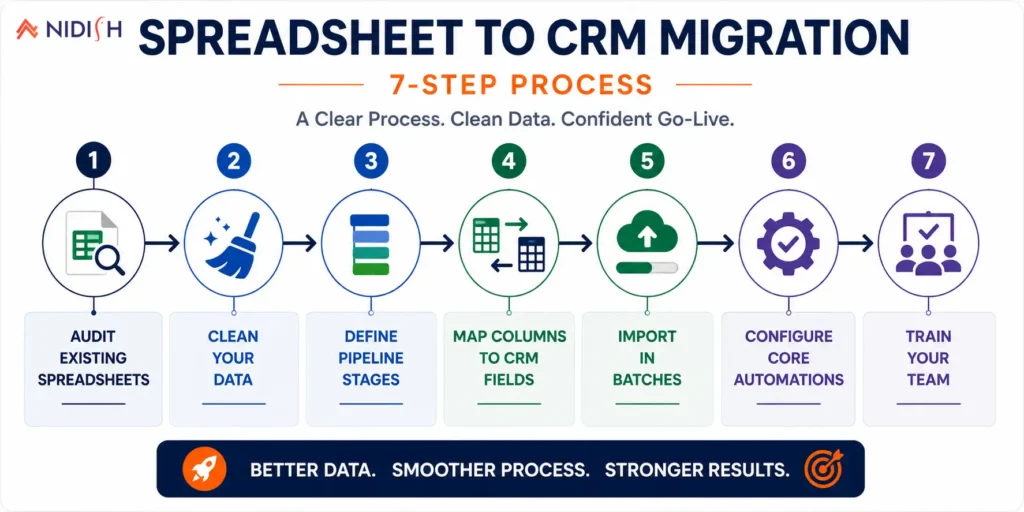
The good news is that a spreadsheet to CRM migration is one of the simpler migrations to execute well, mainly because there’s no complex automation logic to untangle the way there is moving between two full CRMs. But “simple” doesn’t mean “skip the planning.”
Step 1: Audit what you actually have: Before anything moves, pull together every spreadsheet in active use, not just the main one. Most businesses find at least one shadow spreadsheet a single rep has been keeping privately.
Step 2: Clean the data first, not after: Deduplicate contacts, standardize inconsistent entries (three different spellings of the same company name is more common than you’d think), and decide what’s actually worth carrying forward versus what’s outdated and safe to leave behind.
Step 3: Define your pipeline stages before you import anything: A spreadsheet’s “status” column often reflects years of informal shorthand. A CRM needs clear, consistent pipeline stages everyone agrees on, this is the moment to actually define them, not just recreate the old mess in a new tool.
Step 4: Map your columns to CRM fields: Company name, contact info, deal value, last contacted date, whatever your columns track needs a clear destination field in the new system, so nothing gets lost or mismatched during import.
Step 5: Import in batches, not all at once: Migrating a small test batch first lets you catch mapping errors and formatting issues before they affect your entire contact list.
Step 6: Set up your core automations: Lead assignment, follow-up reminders, and basic reporting dashboards should be configured before the team starts using the system daily, not added as an afterthought weeks later.
Step 7: Train the team on the new process, not just the new tool: The software is the easy part. The harder part is getting a team that’s used to “just checking the sheet” to trust and consistently use something new.
How to Prepare Your Spreadsheet Data Before You Migrate
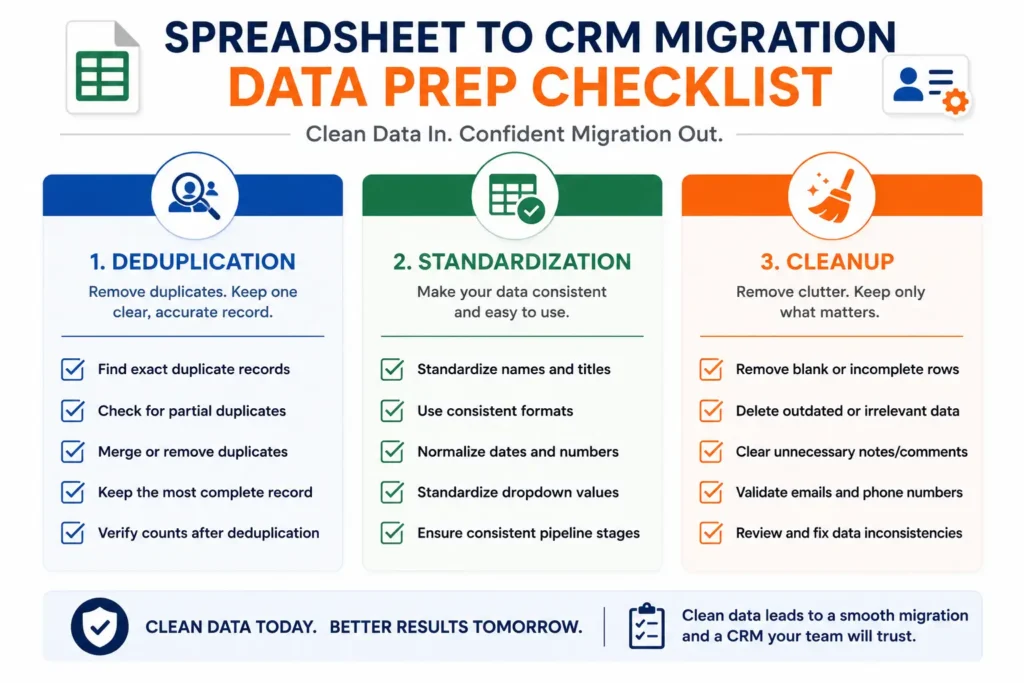
This is the step most businesses rush, and it’s the one that determines whether the new CRM actually works or just becomes an expensive, better-looking version of the same mess.
Start by deduplicating contacts. It’s extremely common for a growing spreadsheet to accumulate the same contact under two or three slightly different entries, a typo in an email address, a name entered with and without a middle initial, a lead who filled out a form twice. Cleaning this before migration is far easier than cleaning it inside a new CRM afterward.
Next, standardize your fields. If “status” has been filled in as “Hot,” “hot lead,” “HOT!!” and “Interested” across different rows, decide on one consistent set of values before import. The same goes for date formats, phone number formatting, and company name variations.
Finally, decide what doesn’t need to come along. Not every row in a five-year-old spreadsheet deserves a spot in your new CRM. Stale leads with no activity in over a year, duplicate test entries, and clearly dead contacts are usually safe to leave behind rather than migrate and immediately archive.
Common Mistakes People Make During This Migration
A handful of avoidable mistakes show up again and again in spreadsheet to CRM migrations, and most of them have nothing to do with the software chosen.
- Migrating everything as-is, mess included: Importing years of inconsistent data into a new system just relocates the chaos into a more expensive tool.
- Skipping pipeline definition: Without agreed-upon stages, a CRM ends up as messy and inconsistent as the spreadsheet it replaced, just harder to fix because now multiple people are entering data through different screens.
- Underestimating the change management piece: A CRM only works if the team actually uses it instead of quietly keeping a personal tracking sheet on the side out of habit.
- Turning on every automation feature immediately: Teams that try to configure every workflow, notification, and report on day one often get overwhelmed and end up using less of the system than they would have with a simpler rollout.
- Not assigning ownership: Someone needs to be responsible for keeping the CRM’s data clean going forward, or it slowly drifts back toward spreadsheet-level disorder over time.
Choosing the Right CRM to Migrate Into
The right CRM depends less on brand reputation and more on how your team actually works day to day.
HubSpot: tends to fit teams that want marketing, sales, and service tracking in one connected platform, especially if lead nurturing and campaign tracking matter alongside the sales pipeline itself. Our comparison of HubSpot against Salesforce is a useful starting point if you’re weighing platform options.
Pipedrive: is a common choice for sales-first teams that want a simple, visual pipeline without a steep learning curve, which makes it a natural next step for a team coming straight from spreadsheets. We’ve covered how Pipedrive fits small and mid-sized business teams in more detail.
Zoho: appeals to budget-conscious teams that still want a fairly full-featured system without enterprise pricing. If you’re deciding between a DIY setup and bringing in outside help, this breakdown of Zoho consulting versus DIY walks through that decision.
For a broader look at why the spreadsheet-to-CRM decision matters in the first place, our guide on why your business needs a CRM covers the underlying case in more depth.
What to Expect: Realistic Timeline
For a small team with a single, reasonably organized spreadsheet, migration can realistically run one to two weeks from audit through full team adoption. For a business with multiple shadow spreadsheets, years of inconsistent data entry, and a larger team to train, three to four weeks is a more realistic window.
The biggest factor isn’t the CRM setup itself, it’s almost always how much time the data cleanup step takes, and how much change management the team needs to actually adopt the new system rather than quietly reverting to old habits after week one.
How Nidish Can Help
We work across HubSpot, Pipedrive, Zoho, and several other platforms, so the recommendation you get is based on how your team actually works, not which platform we happen to specialize in. If you’re staring down a spreadsheet that’s grown well past what it was ever meant to handle, that data cleanup and migration process is exactly the kind of project we help businesses through, from the first audit to a team that’s actually using the new system a month later. You can see more of how we approach CRM projects on our CRM implementation and integration services page.
Frequently Asked Questions
How long does it take to migrate from a spreadsheet to a CRM?
For a small, reasonably organized spreadsheet, one to two weeks is typical. Larger teams with multiple spreadsheets and messier data should plan for three to four weeks, mostly due to the data cleanup step rather than the CRM setup itself.
Will I lose data when I migrate from spreadsheets to a CRM?
Not if the migration is planned properly. The real risk isn’t the migration tool, it’s importing duplicate, outdated, or inconsistently formatted data without cleaning it first, which is why the audit and cleanup steps matter as much as the technical import.
Do I need to clean my spreadsheet before moving to a CRM?
Yes. Deduplicating contacts, standardizing fields like deal status, and deciding what data is actually still relevant before migration saves significant time and prevents importing the same disorganization into a more expensive system.
Is a CRM overkill for a small business still using spreadsheets?
Not necessarily. Team size matters less than process. If leads or follow-ups are already slipping through the cracks even with a small team, a CRM tends to pay for itself quickly in recovered deals and saved time.
What’s the biggest mistake businesses make moving off spreadsheets?
Migrating messy data as-is without defining clear pipeline stages first. This just moves the same inconsistency into a new, more expensive tool instead of actually fixing the underlying problem.





 Blog
Blog Case Studies
 Career